Modules
One system, eighteen capabilities.
Each module solves a concrete part of your business. Together they form an unbroken flow — from the moment a customer builds a product on your website to the invoice you issue.
Online configurator
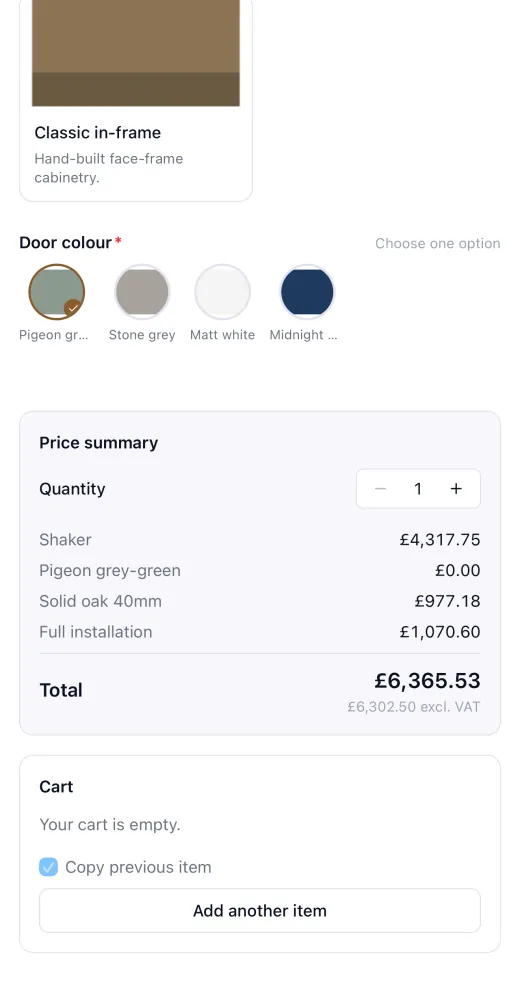
A customer builds the product on your website and sees the price. You receive a quote with line items and a material list for the workshop — without a single phone call.
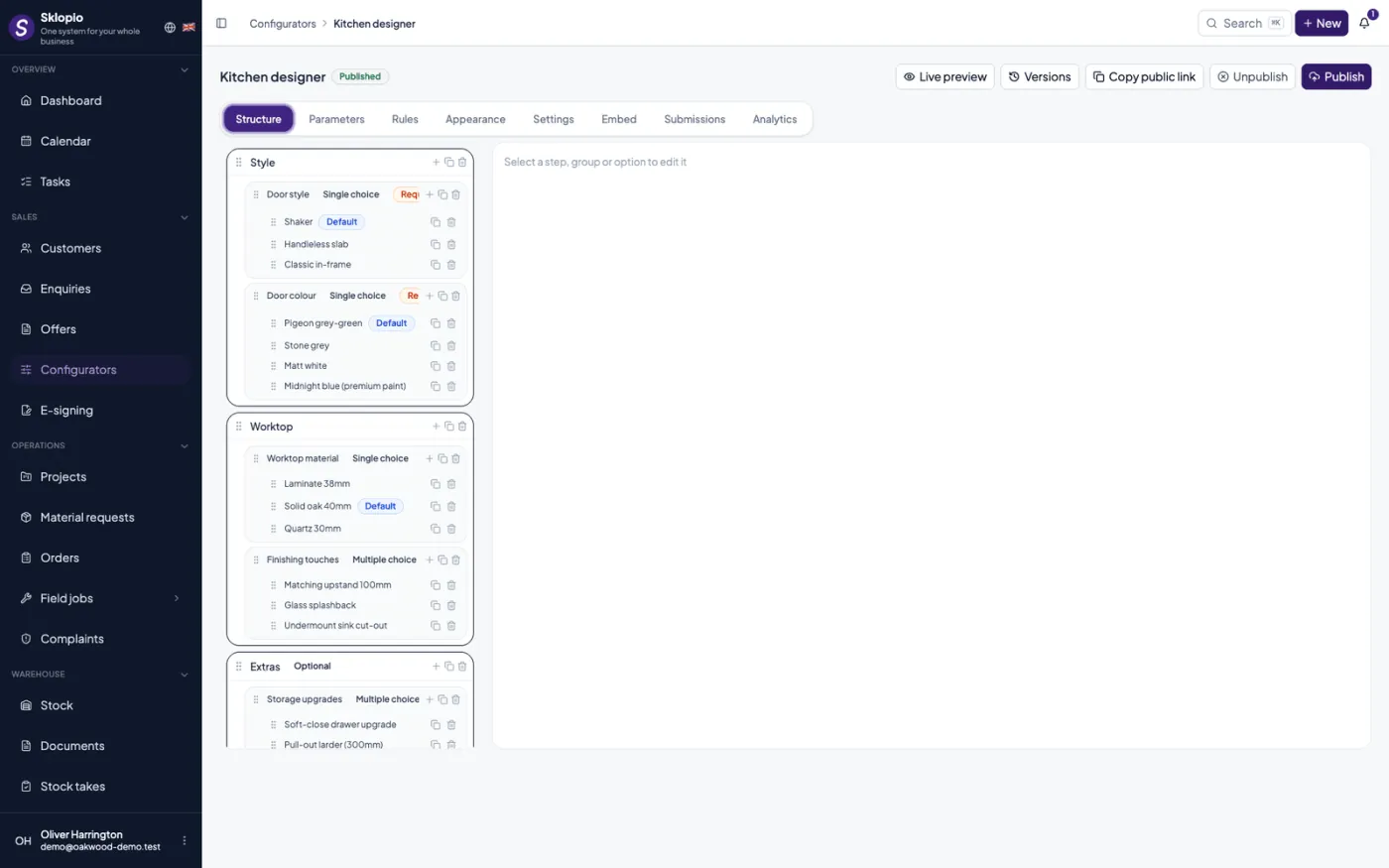
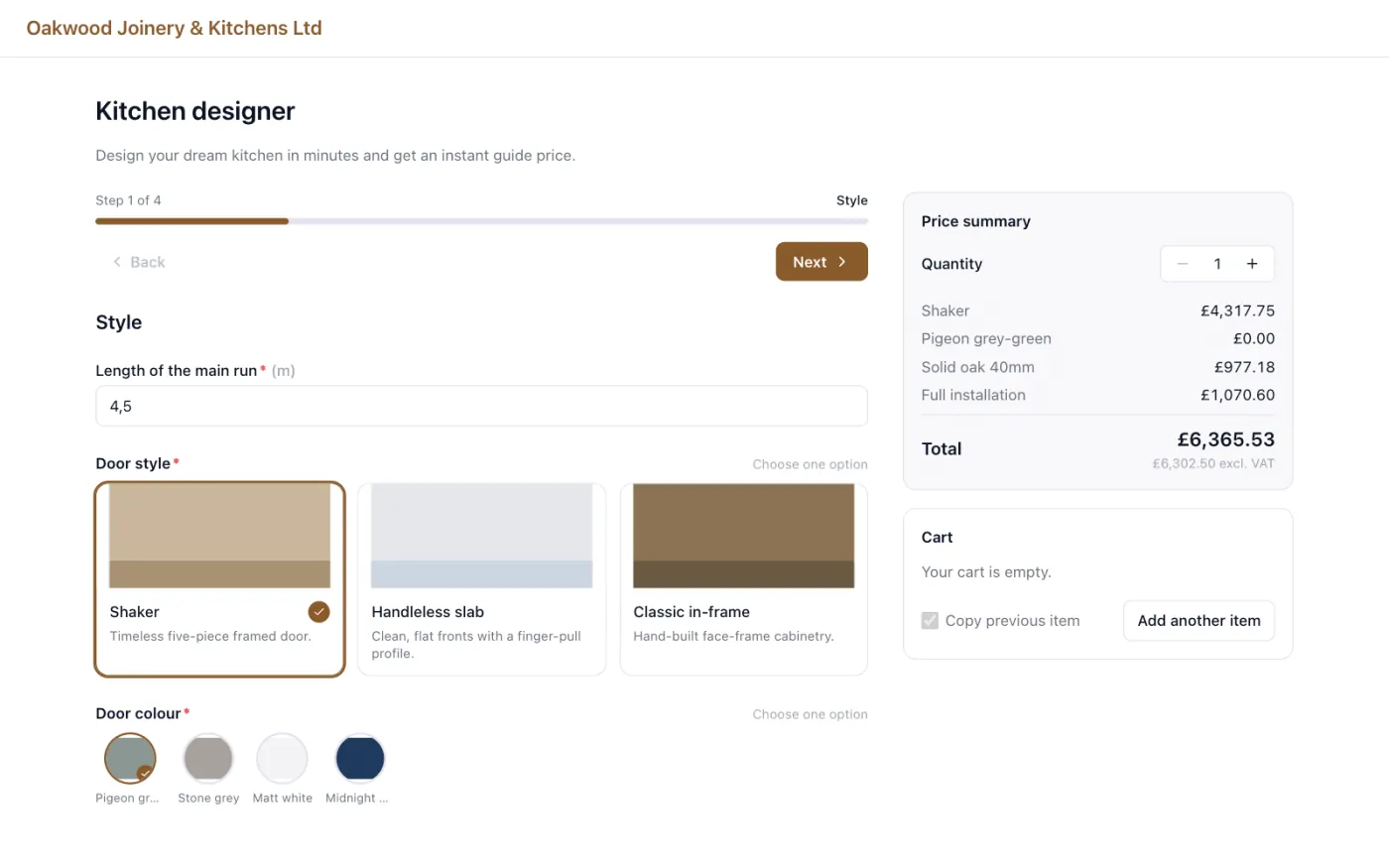
Steps, options and rules
You build the configurator yourself: steps, groups, an image for every choice, and rules that rule out combinations you do not make.
Pricing by your formulas
Formulas price by area, perimeter, quantity or group subtotal. The visitor sees the same price you will quote.
Quote and parts list at once
A submission becomes a quote at the price the customer saw, plus a separate internal material list at cost price for production.
Saved configurations
An unfinished choice is kept; the customer continues later and you see which configurations stalled, and where.
Inquiries & quotes
Capture inquiries with measurements, a questionnaire and a sketch, then turn them into quotes and projects.
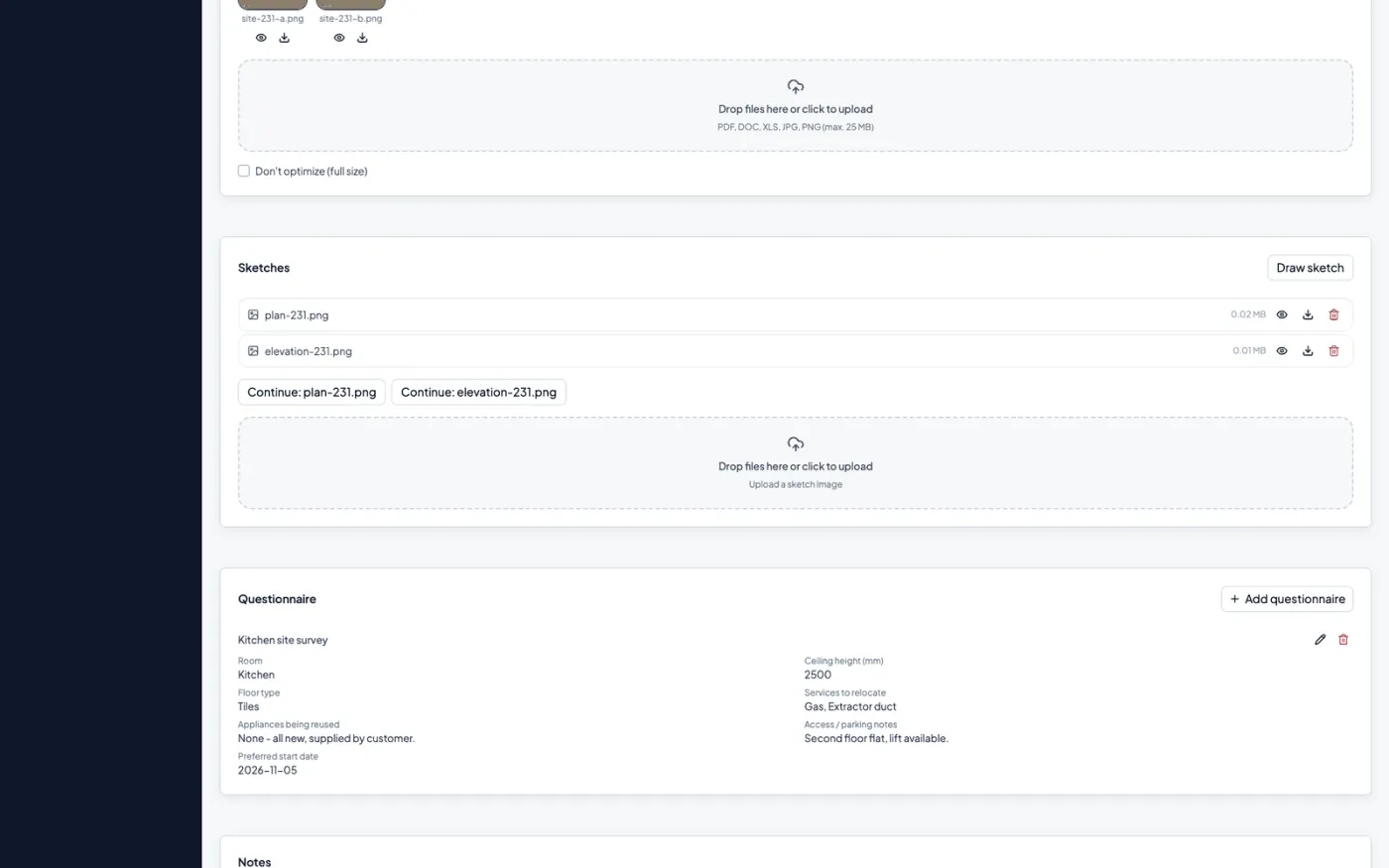
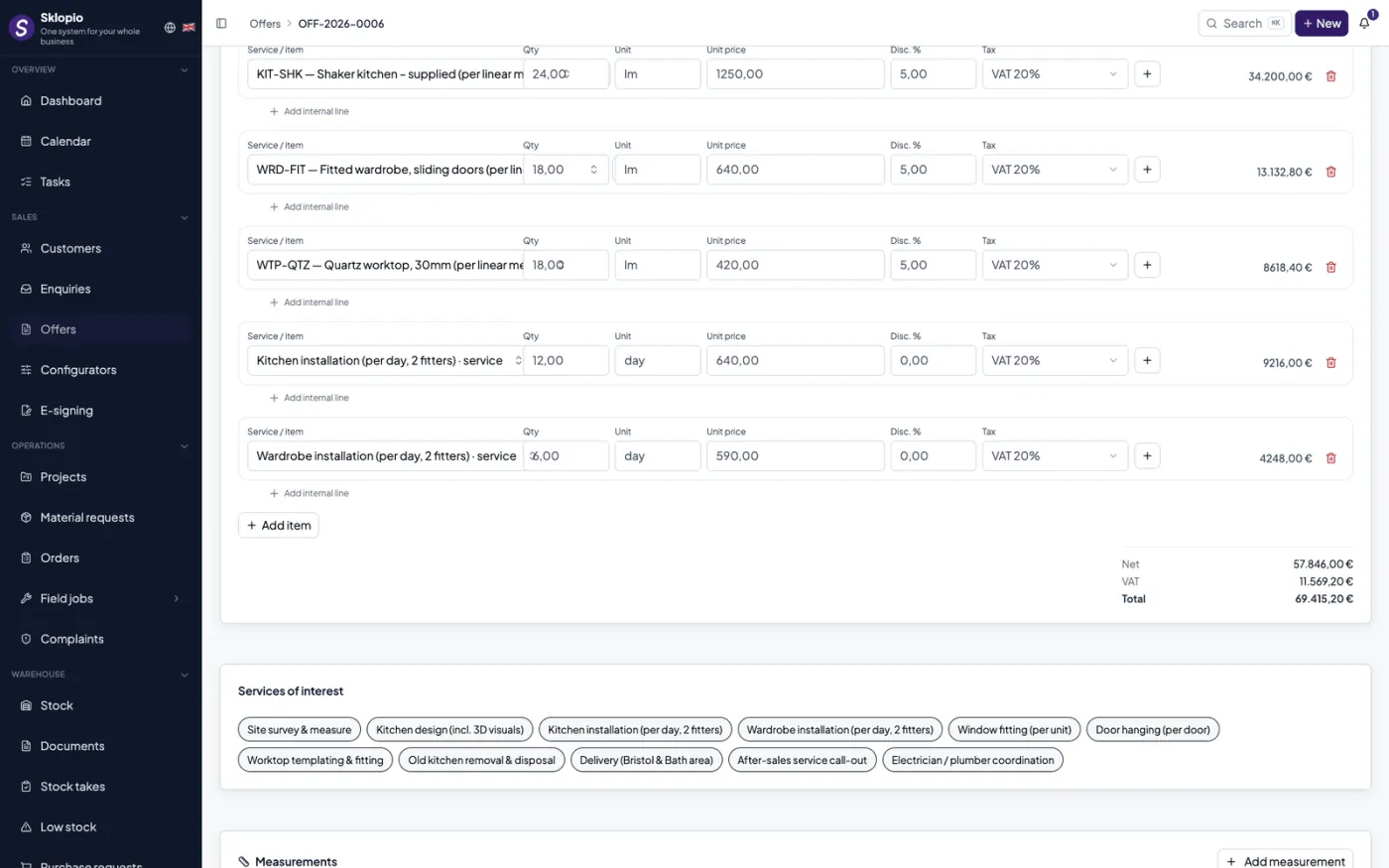
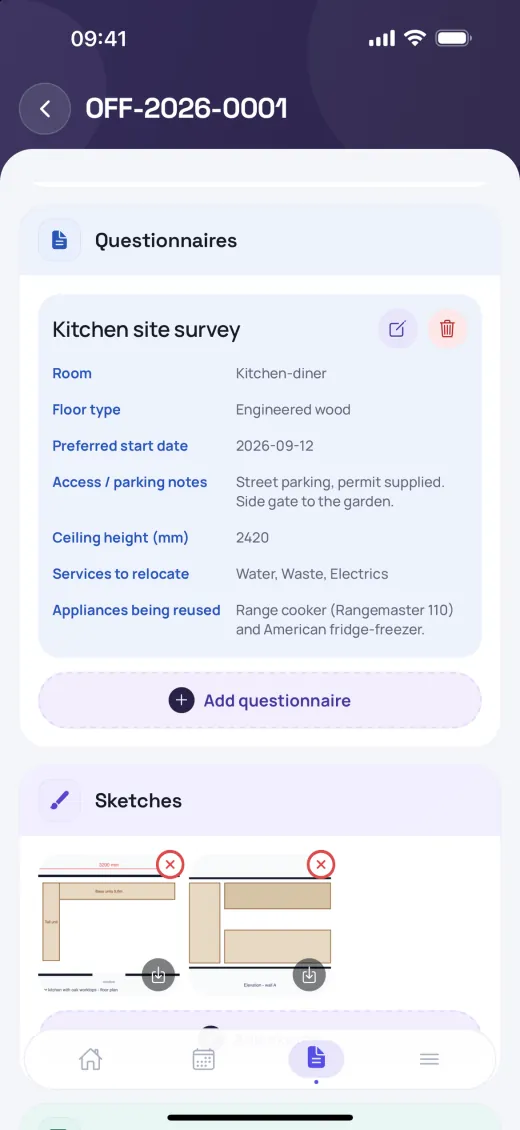
Inquiries
Capture with line items, measurements (W/H/D), questionnaire and sketch; convert to a quote or project.
Quotes
Build quotes with services, line items, prices and VAT; export to PDF.
Services catalog
Pre-prepared services and tax rates for fast assembly.
Projects & production
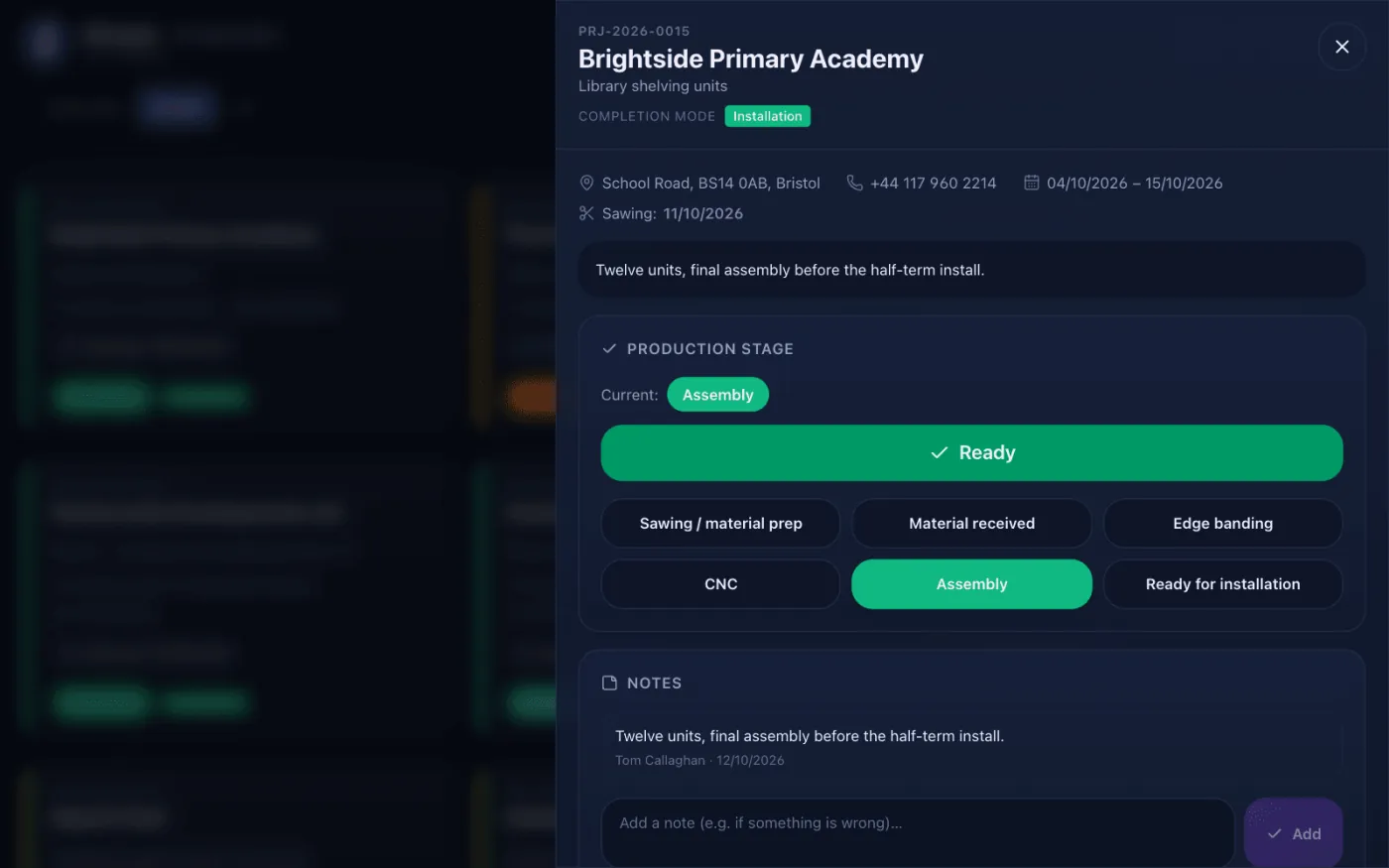
Run the order through statuses and departments, while the workshop works on its own screen.
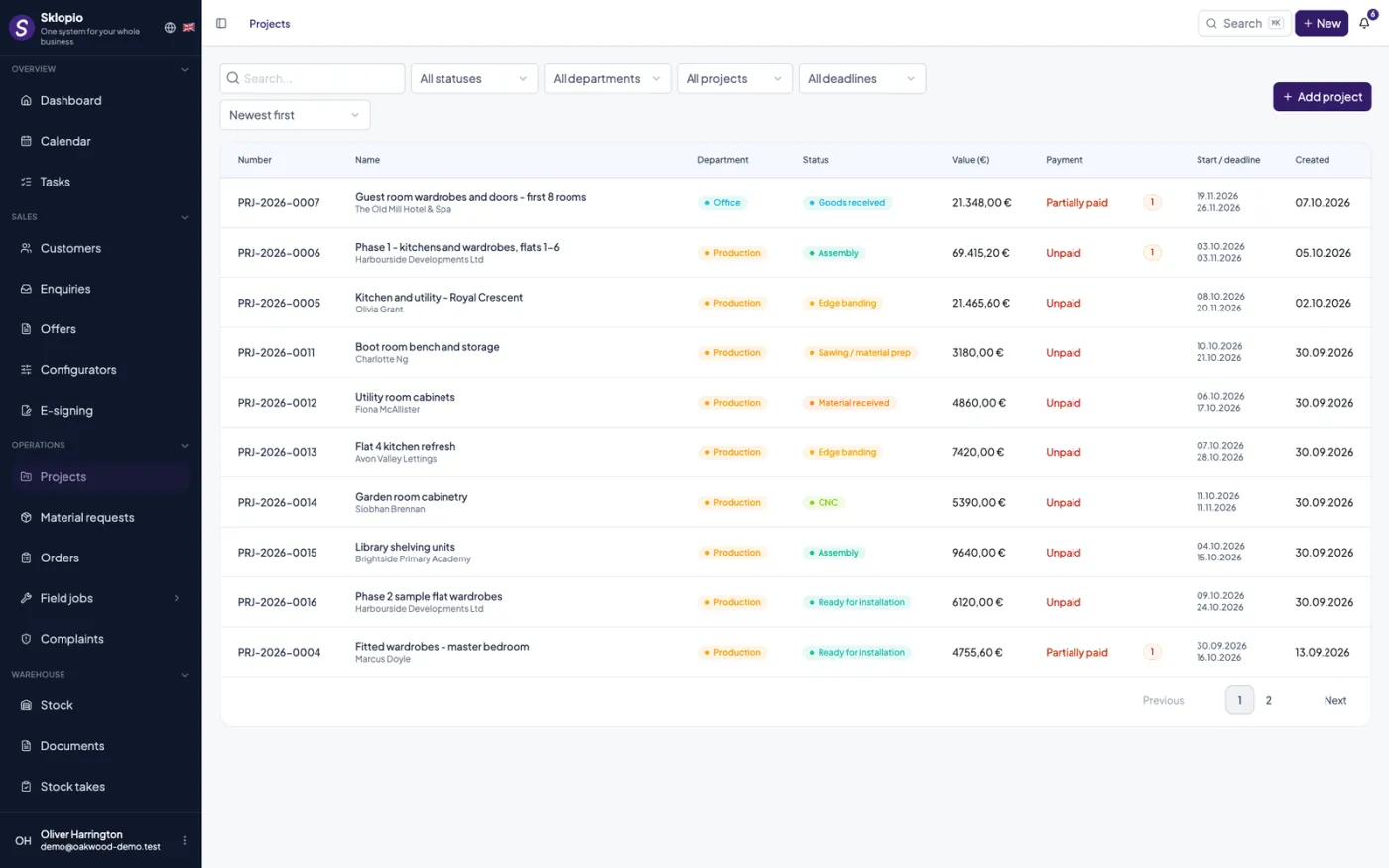
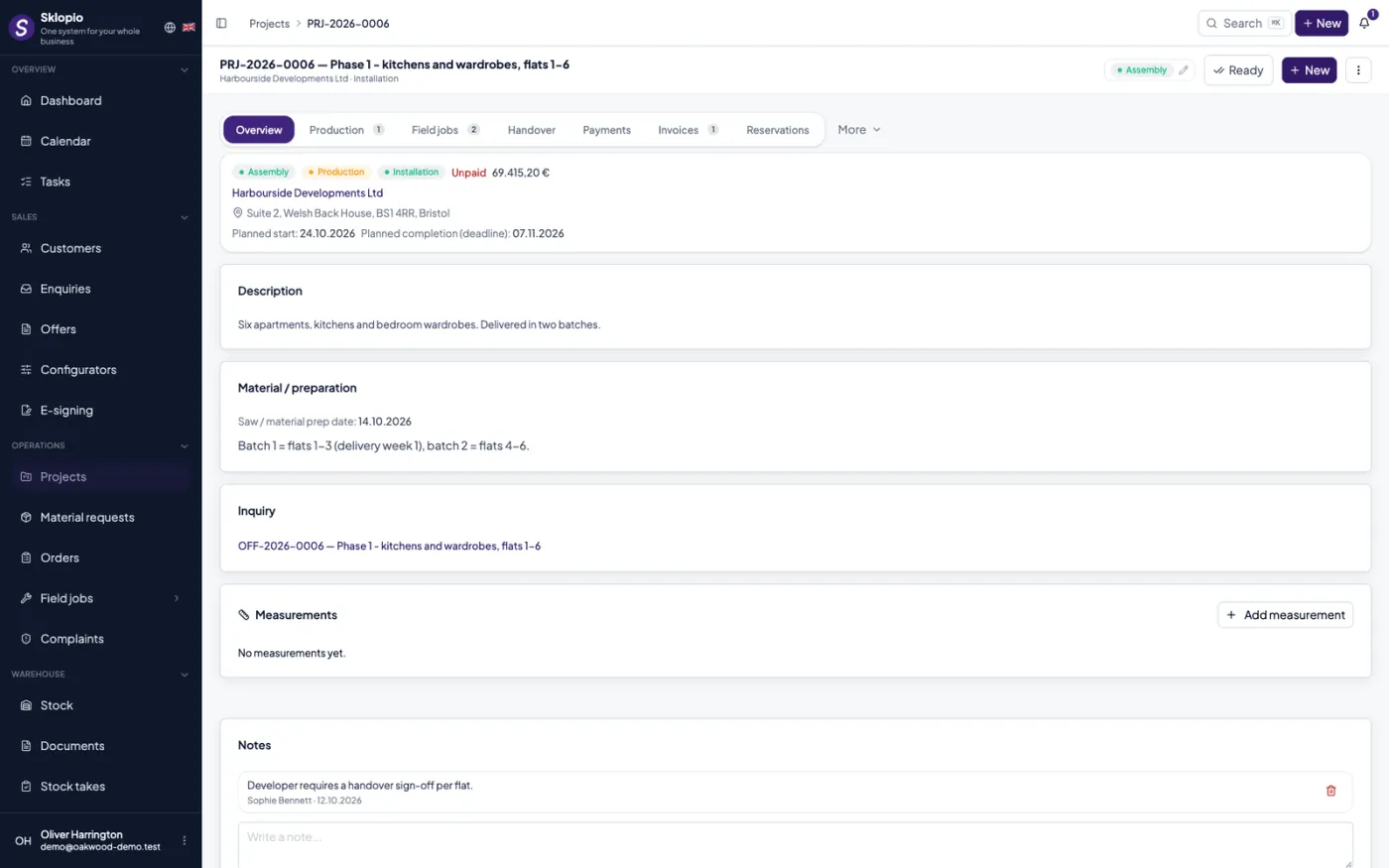
Projects
Order pipeline: statuses, routing to departments, dates, value, files and invoices.
Production
Workshop screen (TV/tablet) with stages: build started, material received, ready for installation.
Sketches and measurements
Sketches, measurements and notes available right on the production screen.
Supplier orders
What was ordered, from whom, for which project and when it arrives — instead of digging through e-mail.
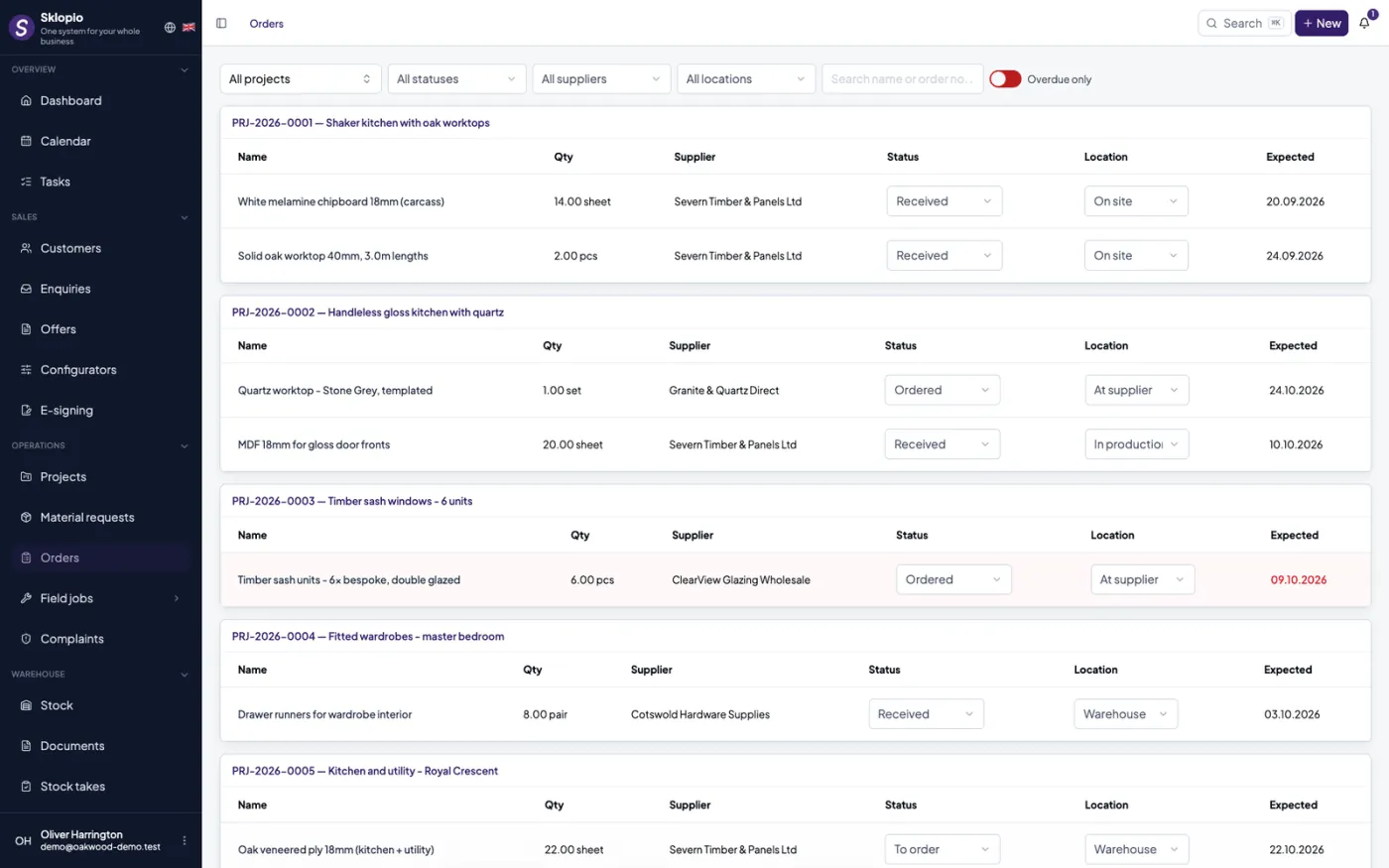
Orders per project
An order with supplier, line items and an expected delivery date, tied to a project.
Supplier directory
Suppliers with contacts and country; the same companies are available on material requests.
Overdue alerts
Orders past their expected date are listed separately and the department is notified.
Installation & handover reports
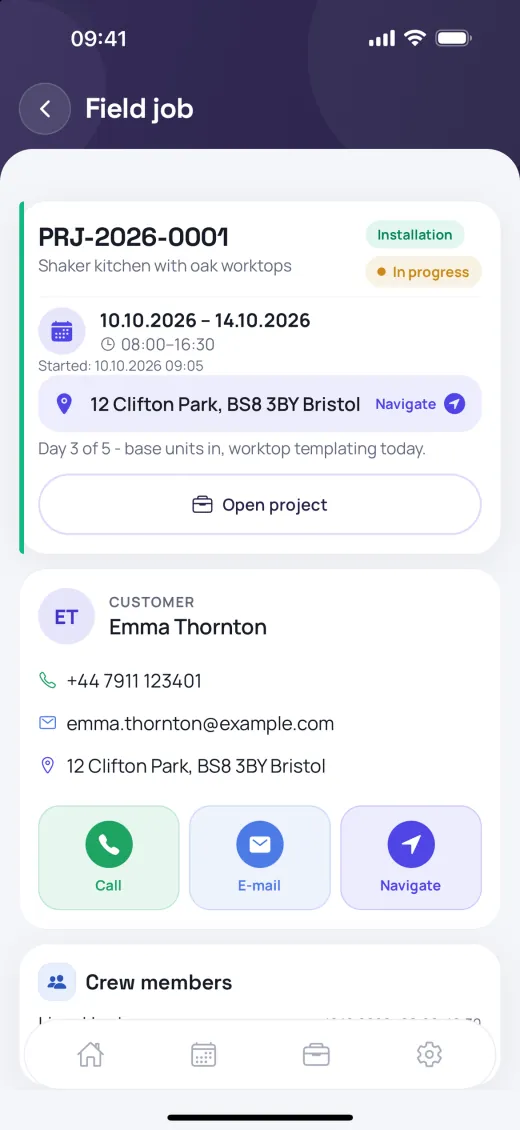
Schedule installers without overlaps, and fill in a digital handover report on site.
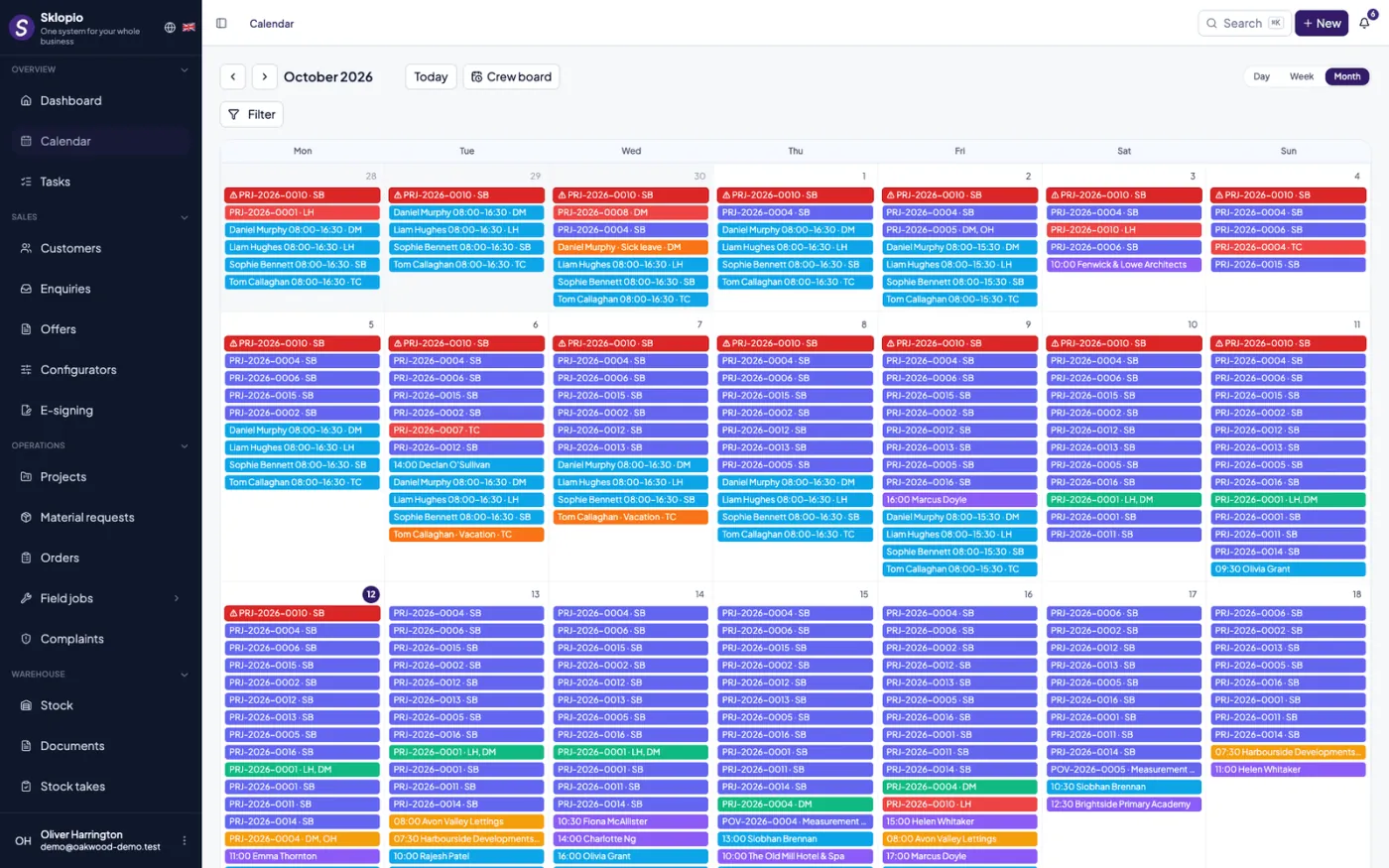
Installer scheduling
Assign installers with detection of date and time overlaps (double booking prevented).
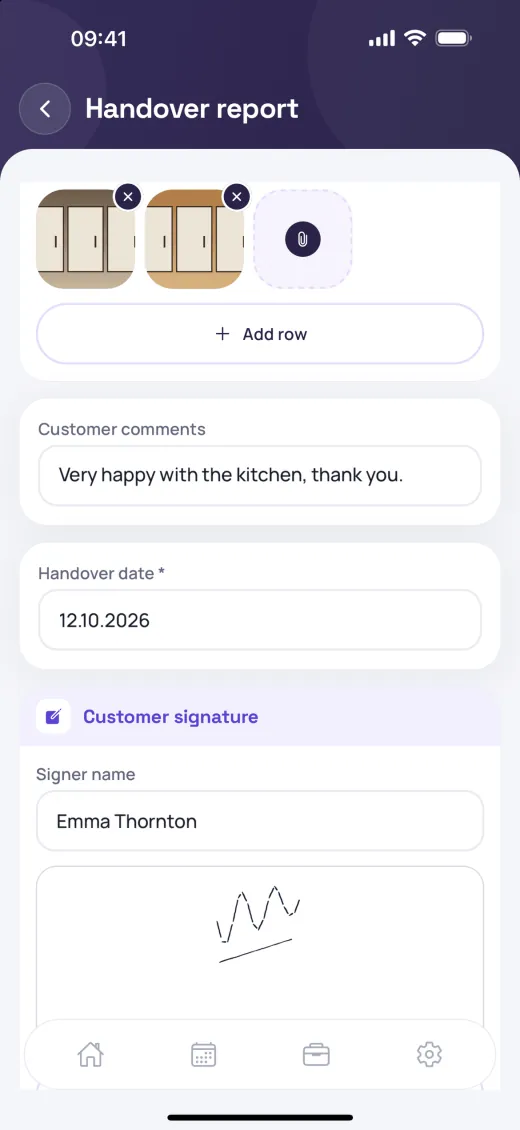
Handover report
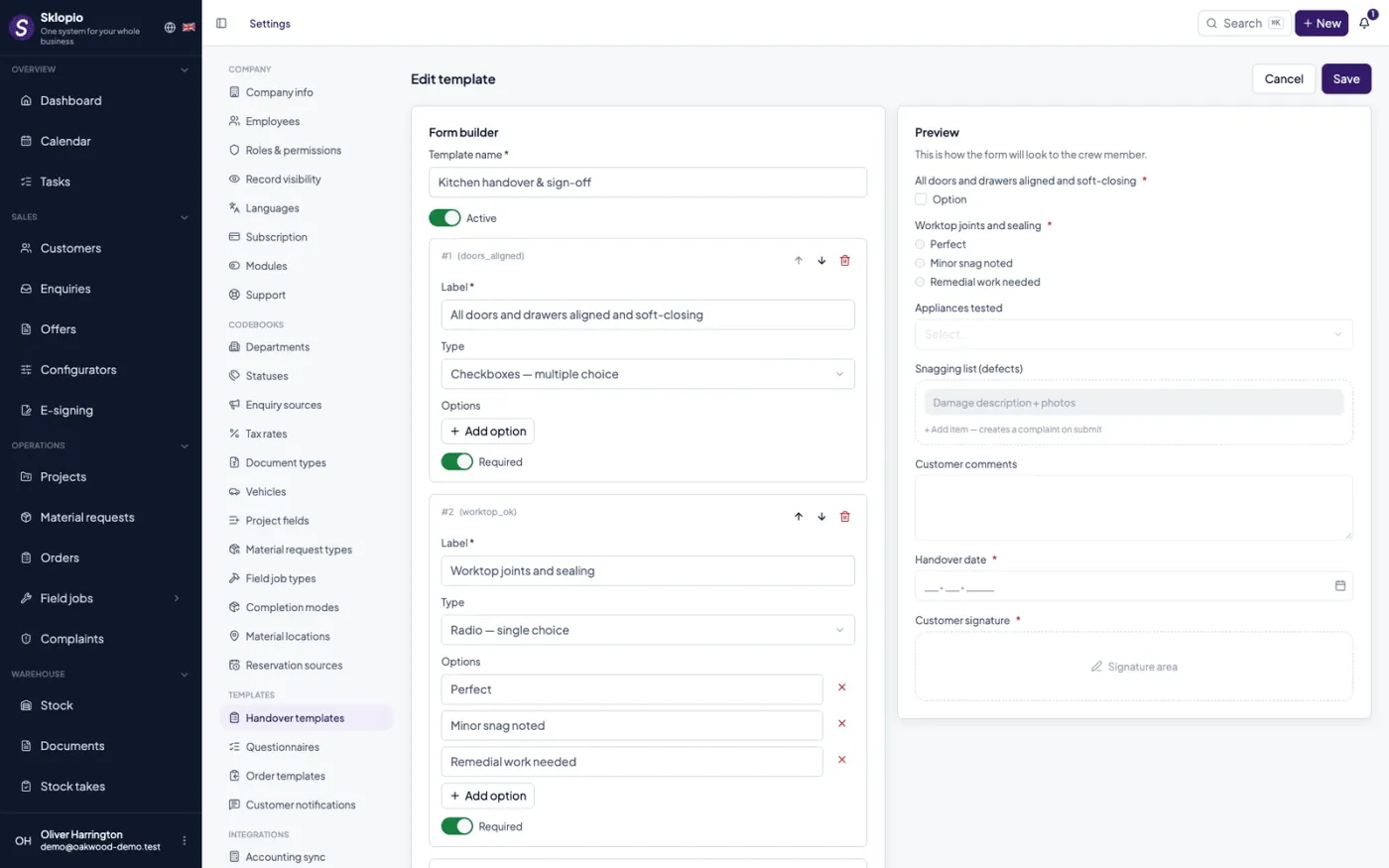
A dynamic form in the installer's mobile app with photos and signatures.
PDF report
An automatic PDF handover report for the customer and the archive.
Complaints
Per-project complaints with clear statuses, responsible people and notifications — nothing gets lost.
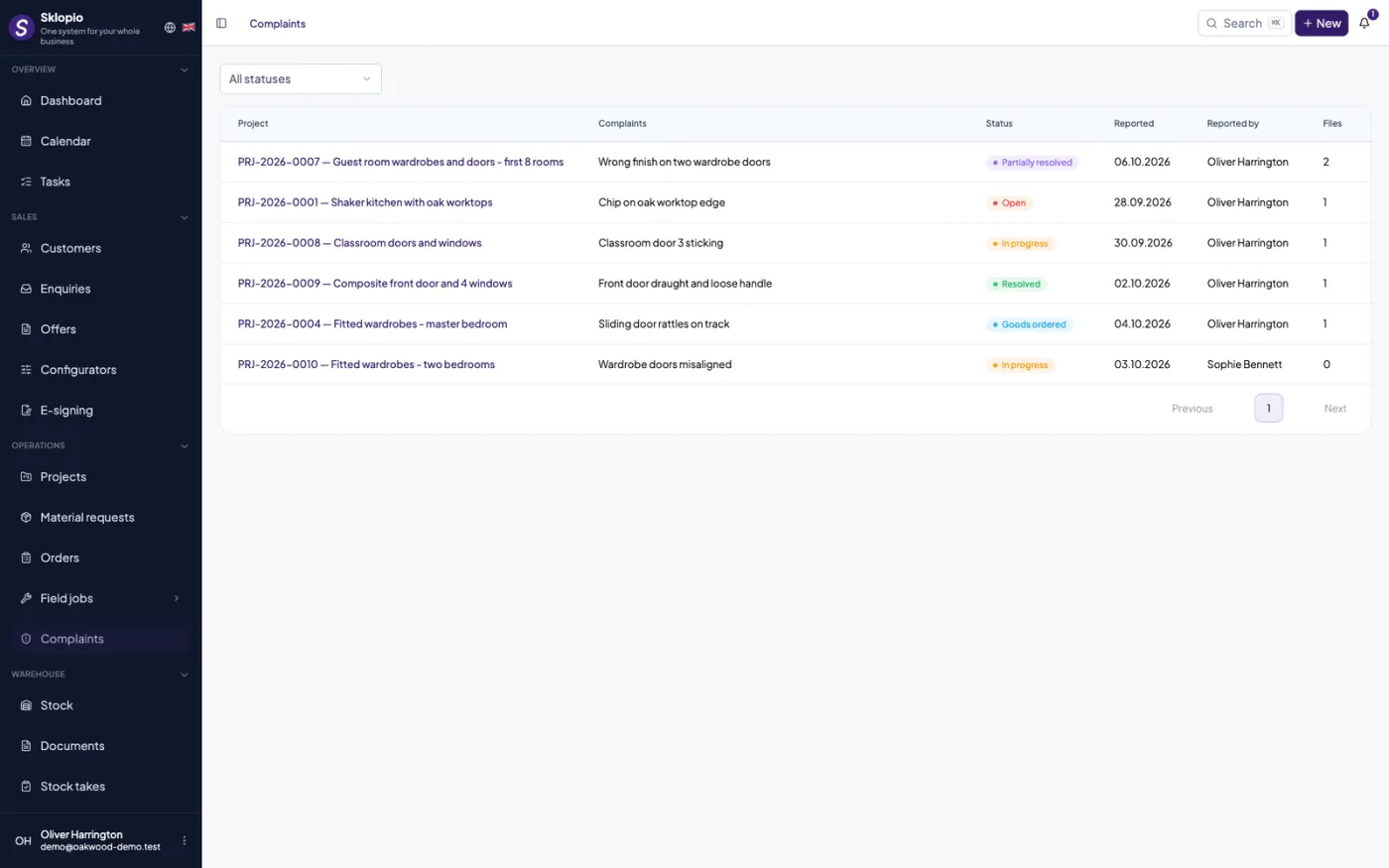
Complaint records
Complaints with line items, deadlines and a responsible person, linked to a project or handover report.
Resolution statuses
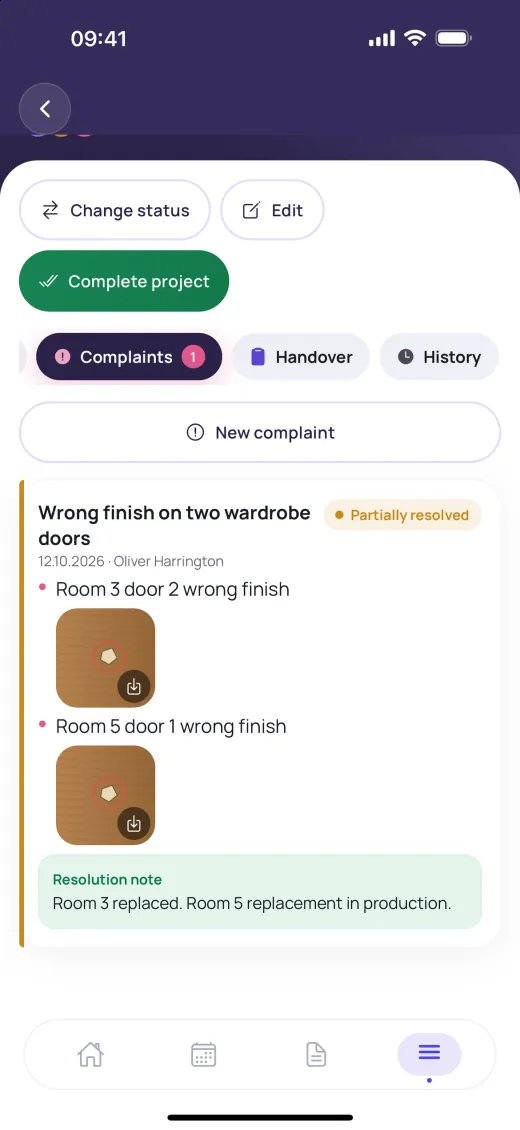
Open, in progress, goods ordered, partially resolved, resolved — always clear where things stand.
Defects with photos
Every defect is its own line with its own photos. A complaint can come from the defect rows on a handover report, or be raised by the workshop from the production app.
Reservations & calendar
A calendar that understands your business — from salon to catering and rental.
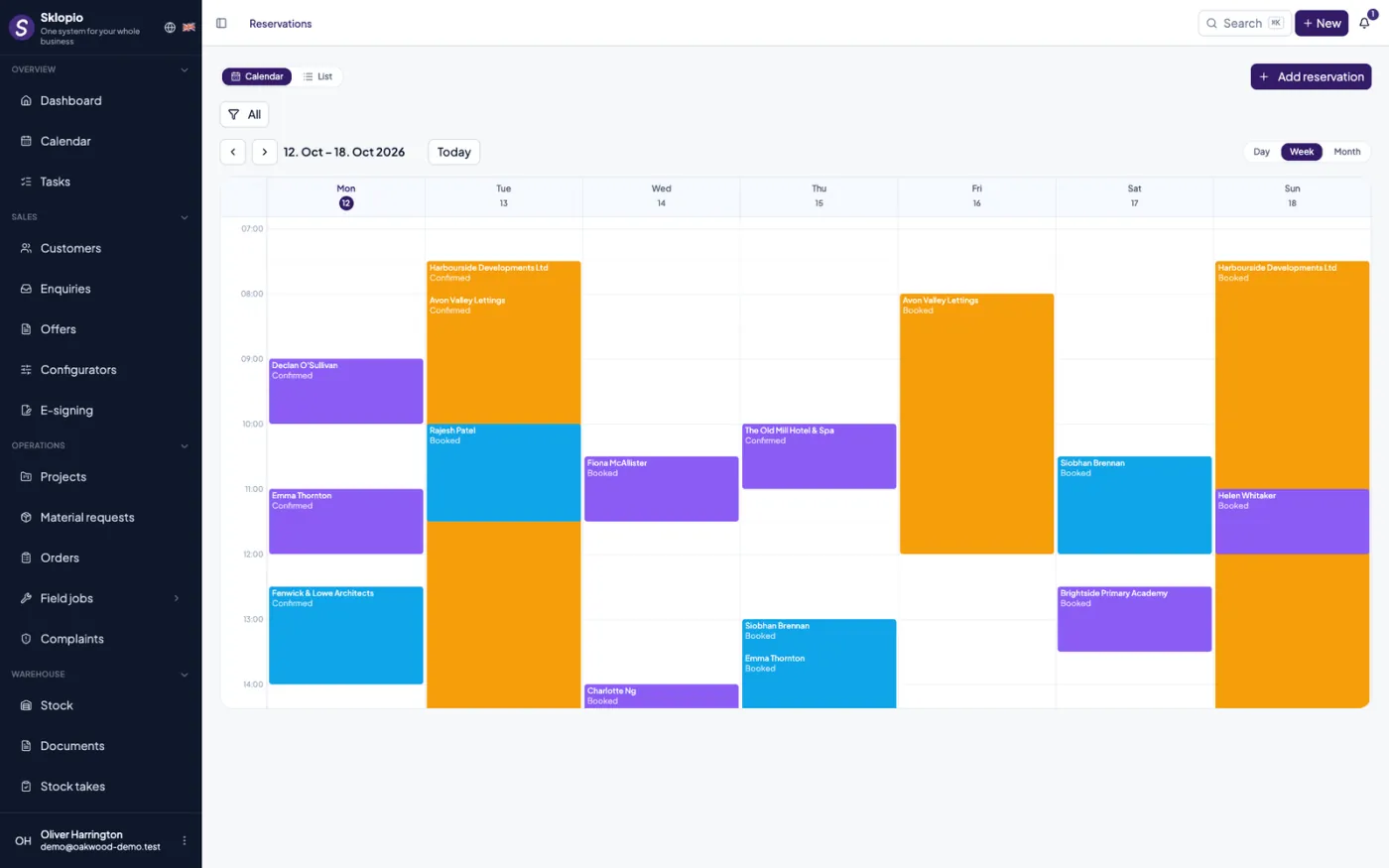
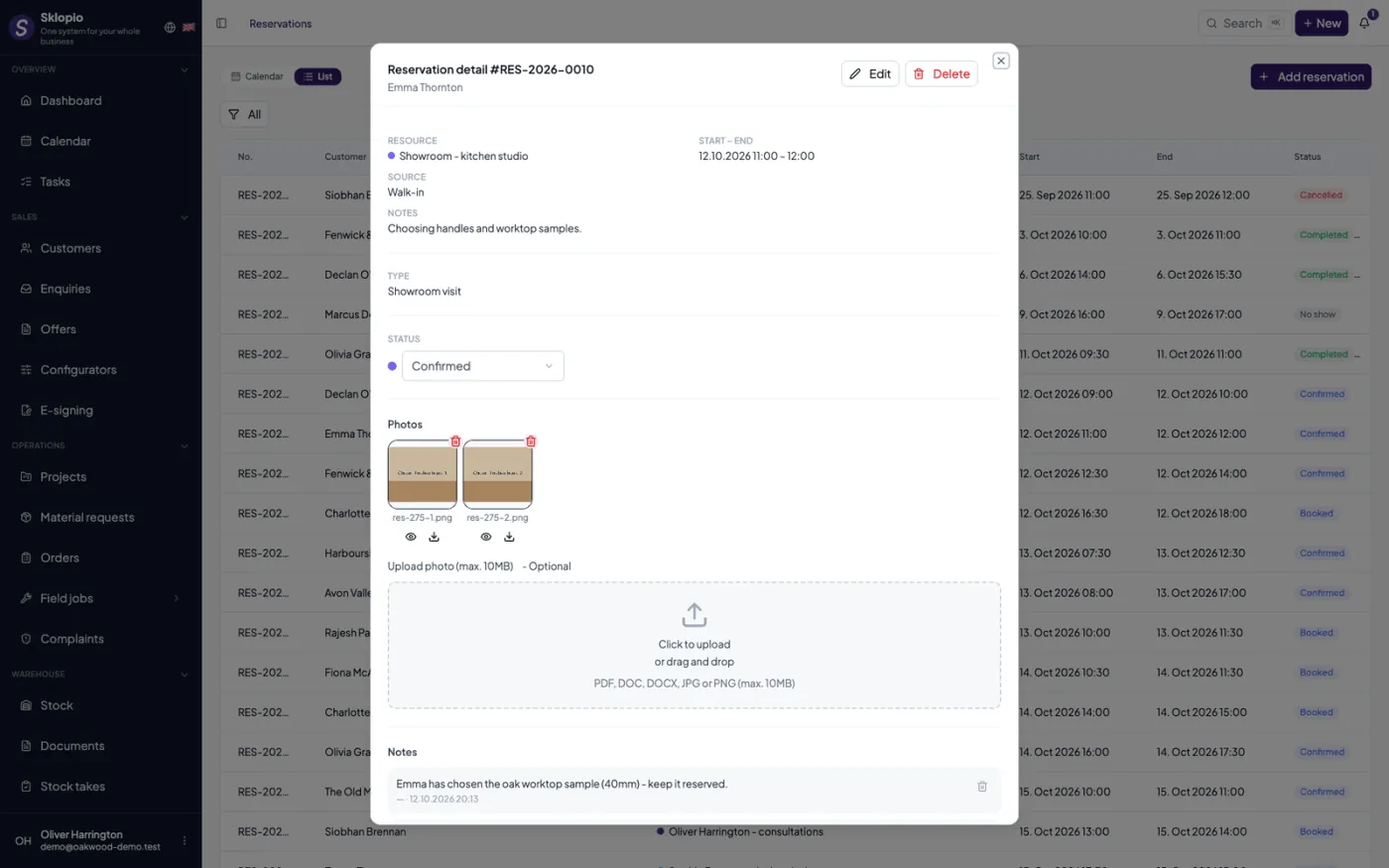
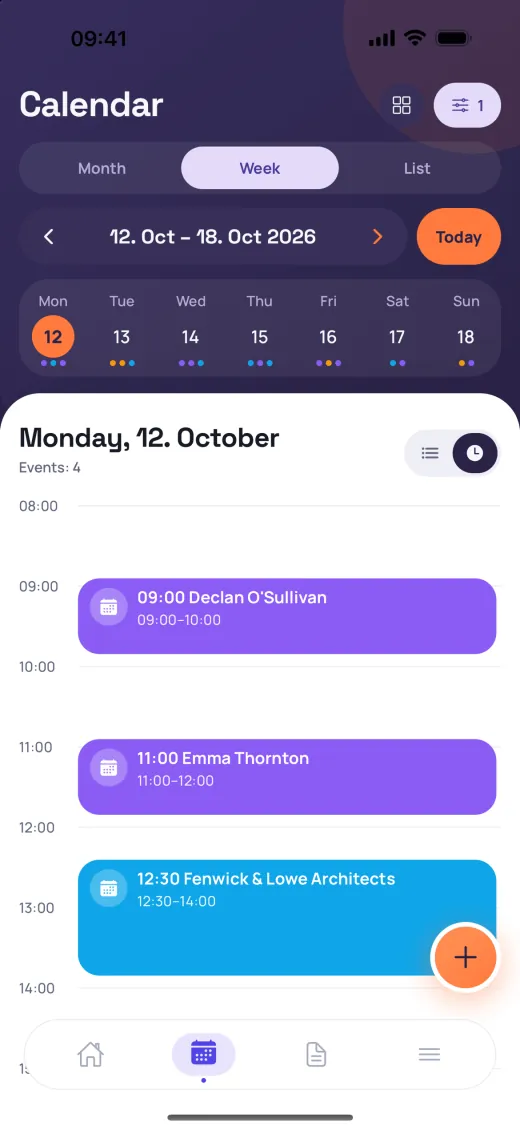
Reservation types
Field groups by event type: logistics, transport, team, resources and services.
Delivery logistics
Delivery address and required setup and return times for each event.
Available slots
Suggests free slots and prevents overlaps when booking.
Customers & finance
Customers, invoices and project costs in one place — with a clear view of payments.
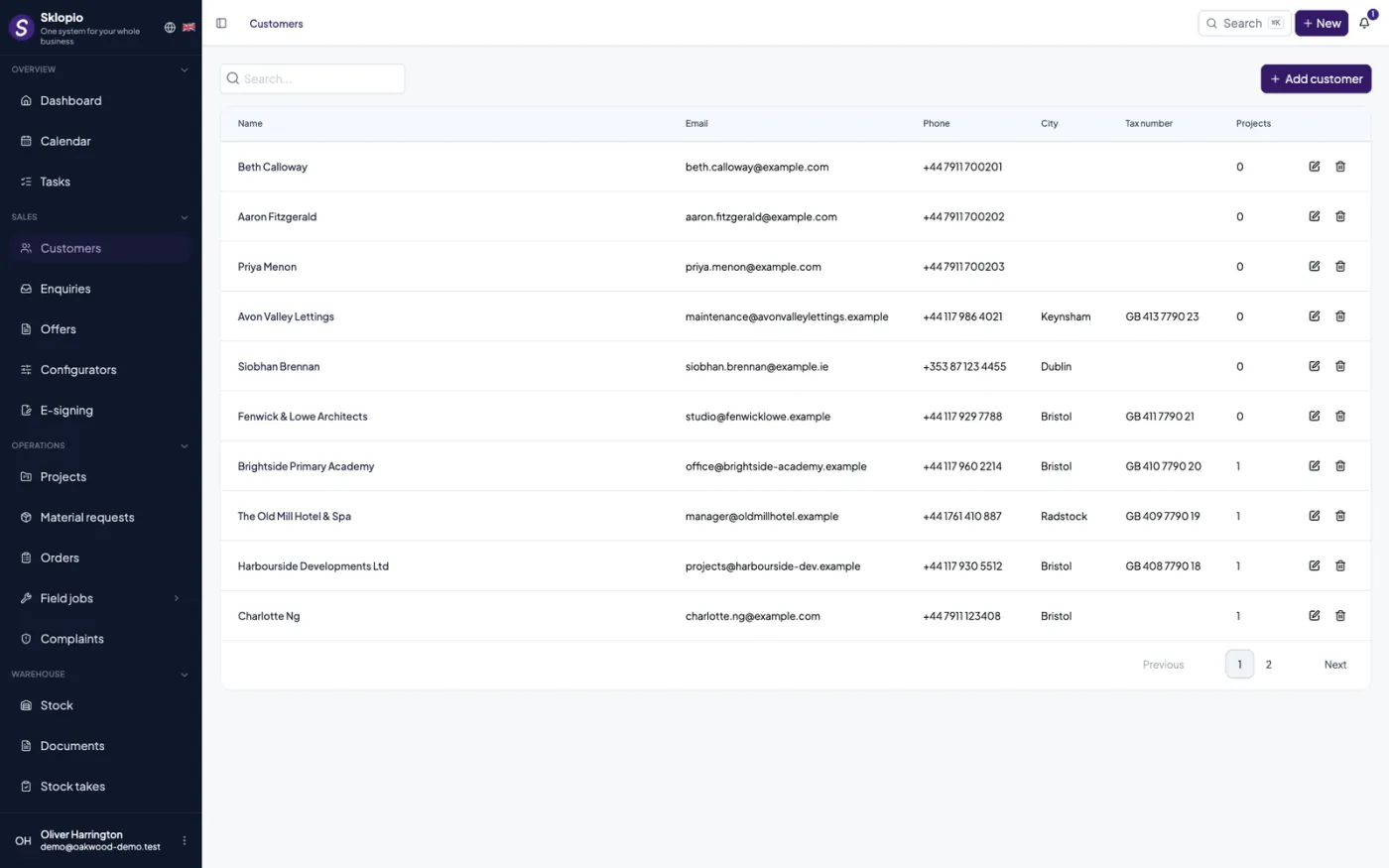
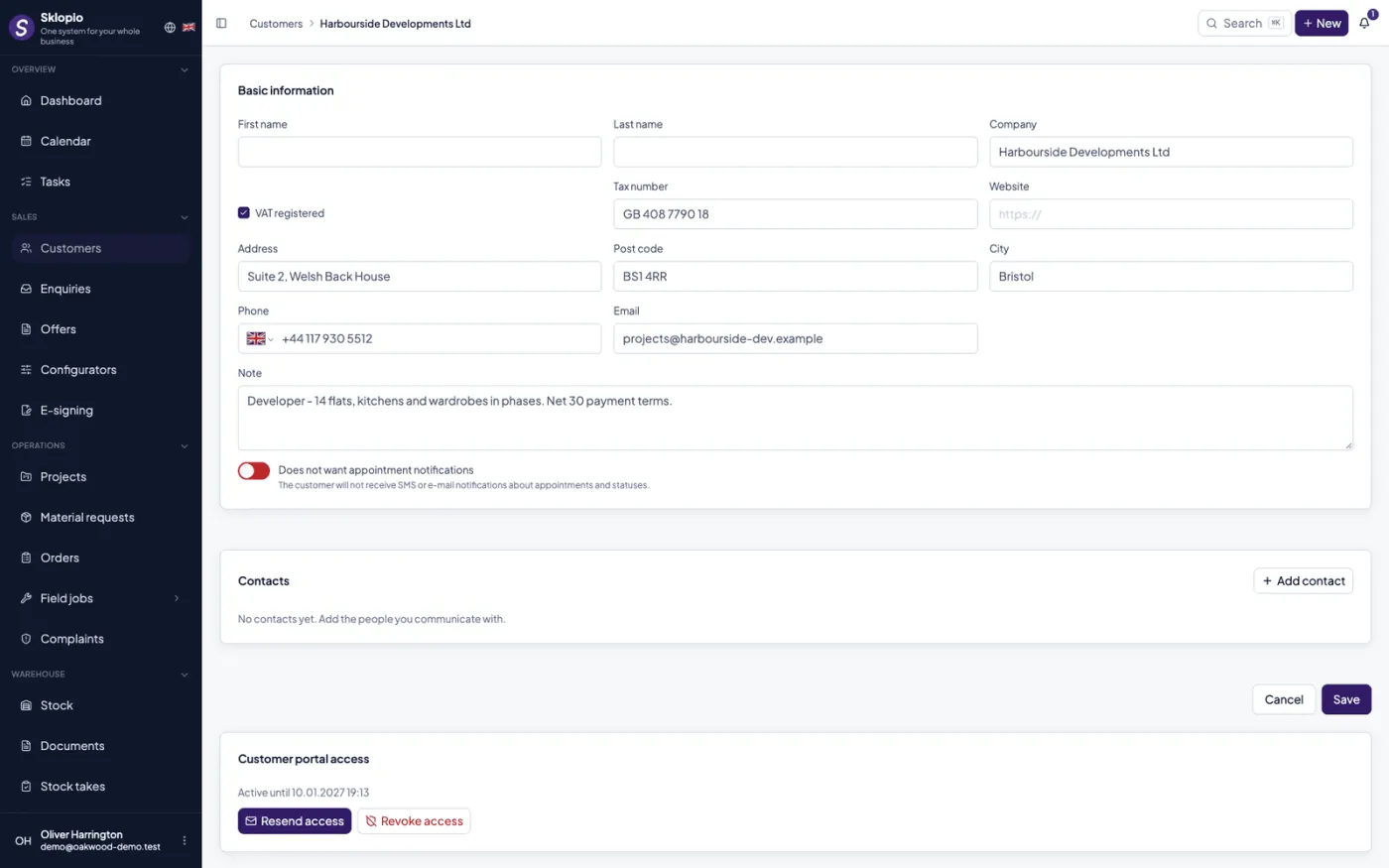
Customers
A register of customers and contacts, linked to inquiries and projects.
Finance & invoices
Invoices, project costs, payment status and the finance module.
Project costs
Track costs and issued invoices within each individual project.
E-mail archiving
Every project has its own BCC address — archive correspondence with the customer by adding it to the blind copy.
Customer portal & e-signing
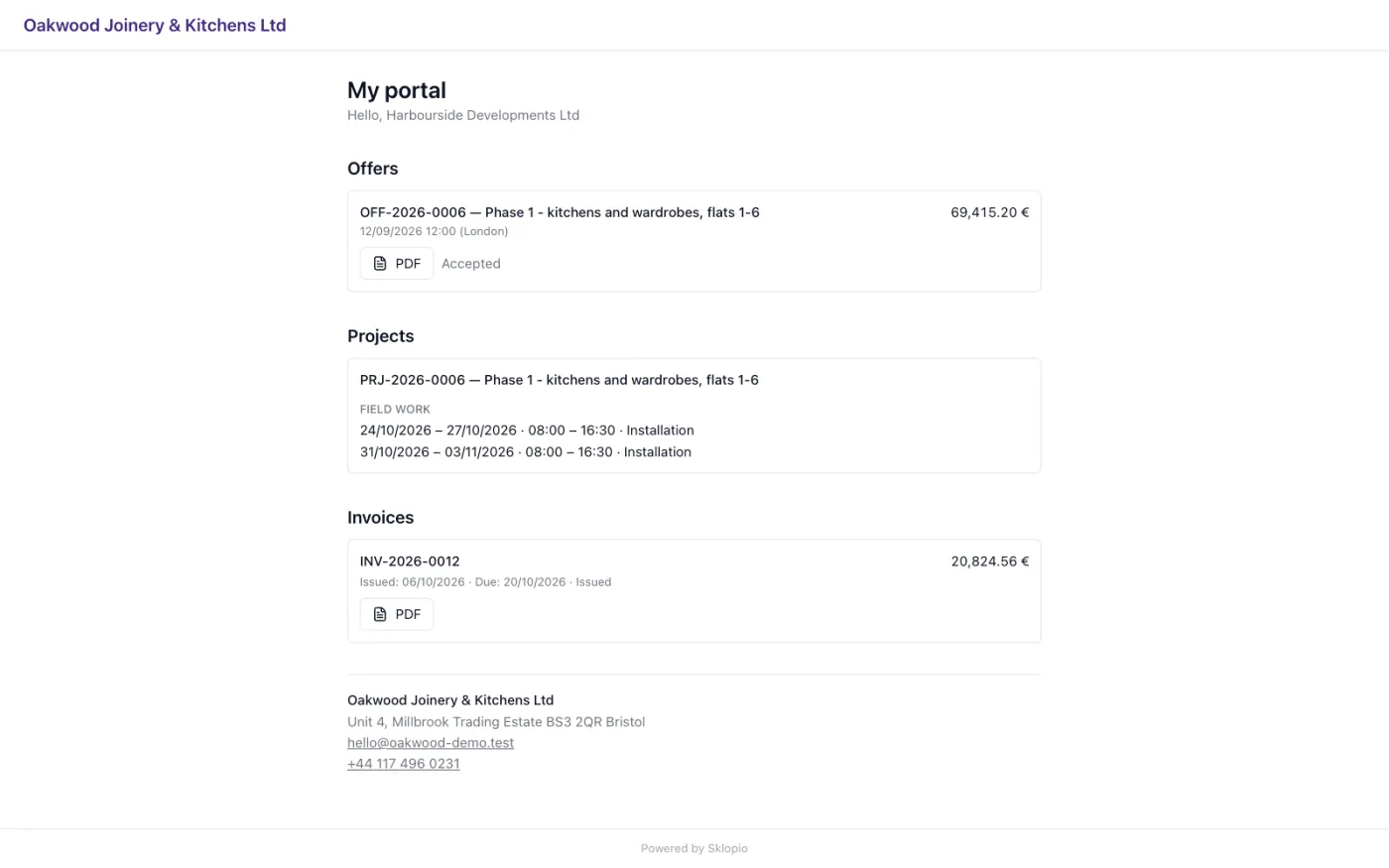
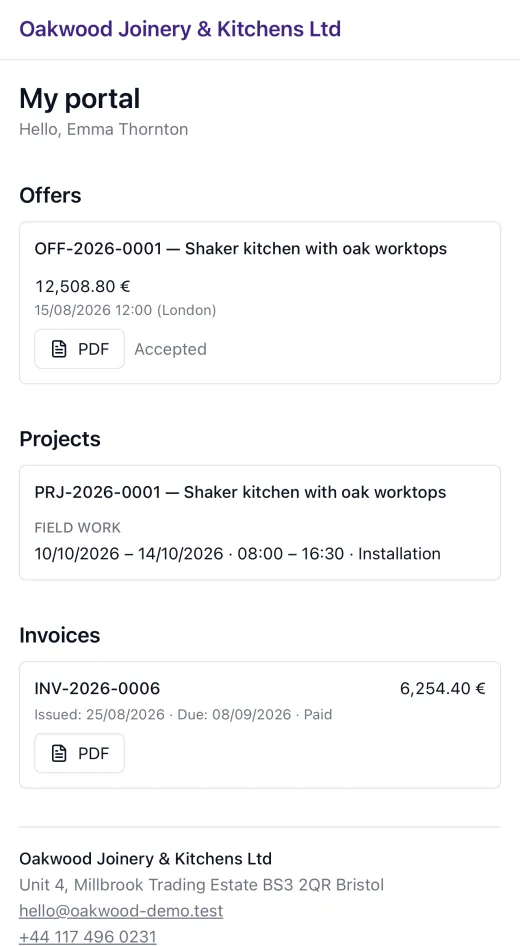
Customers look up their own quotes, projects and invoices — and sign documents electronically, without a printer.
Portal for the customer
A private link where the customer sees their quotes, projects and invoices without registering.
Electronic signature
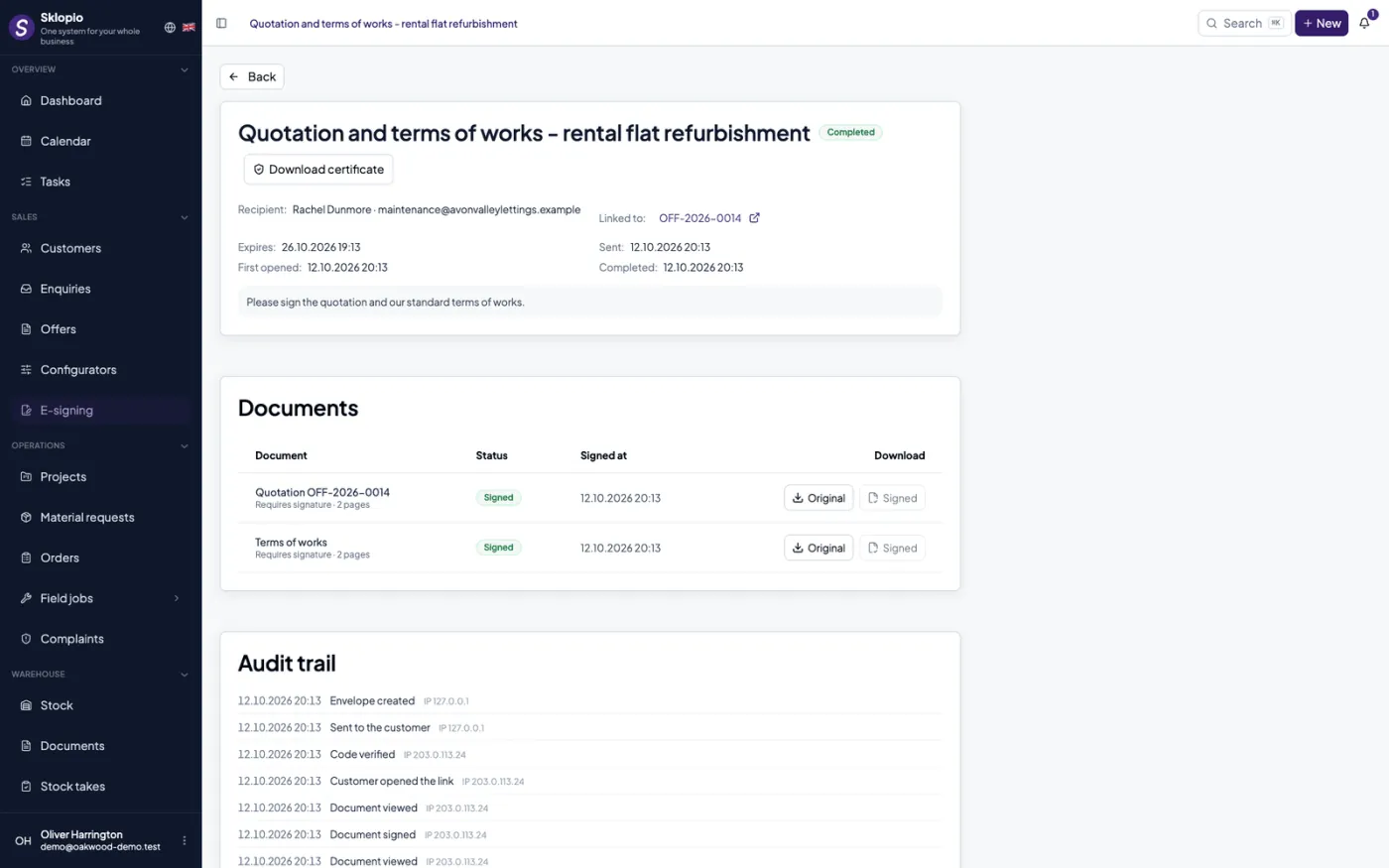
Quotes and contracts are signed through the link; entry is confirmed with a code sent by e-mail.
Audit trail
Every view, code and signature is recorded with date, time and IP address — a signed document can be proven.
Reminders and expiry
Unsigned documents get a reminder and links expire, so nobody has to chase them by hand.
Accounting sync
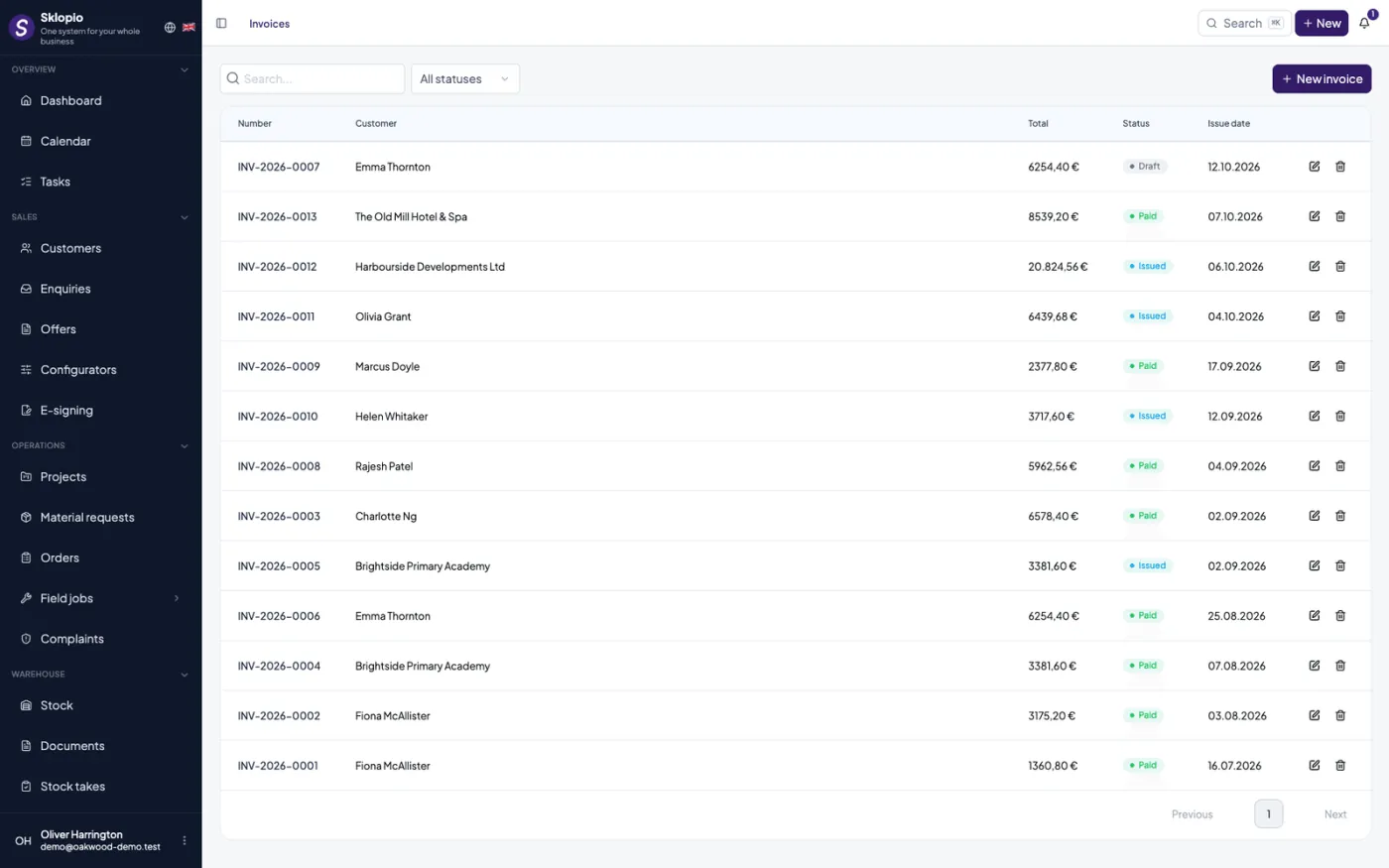
Quotes and invoices move into your accounting software — no double entry.
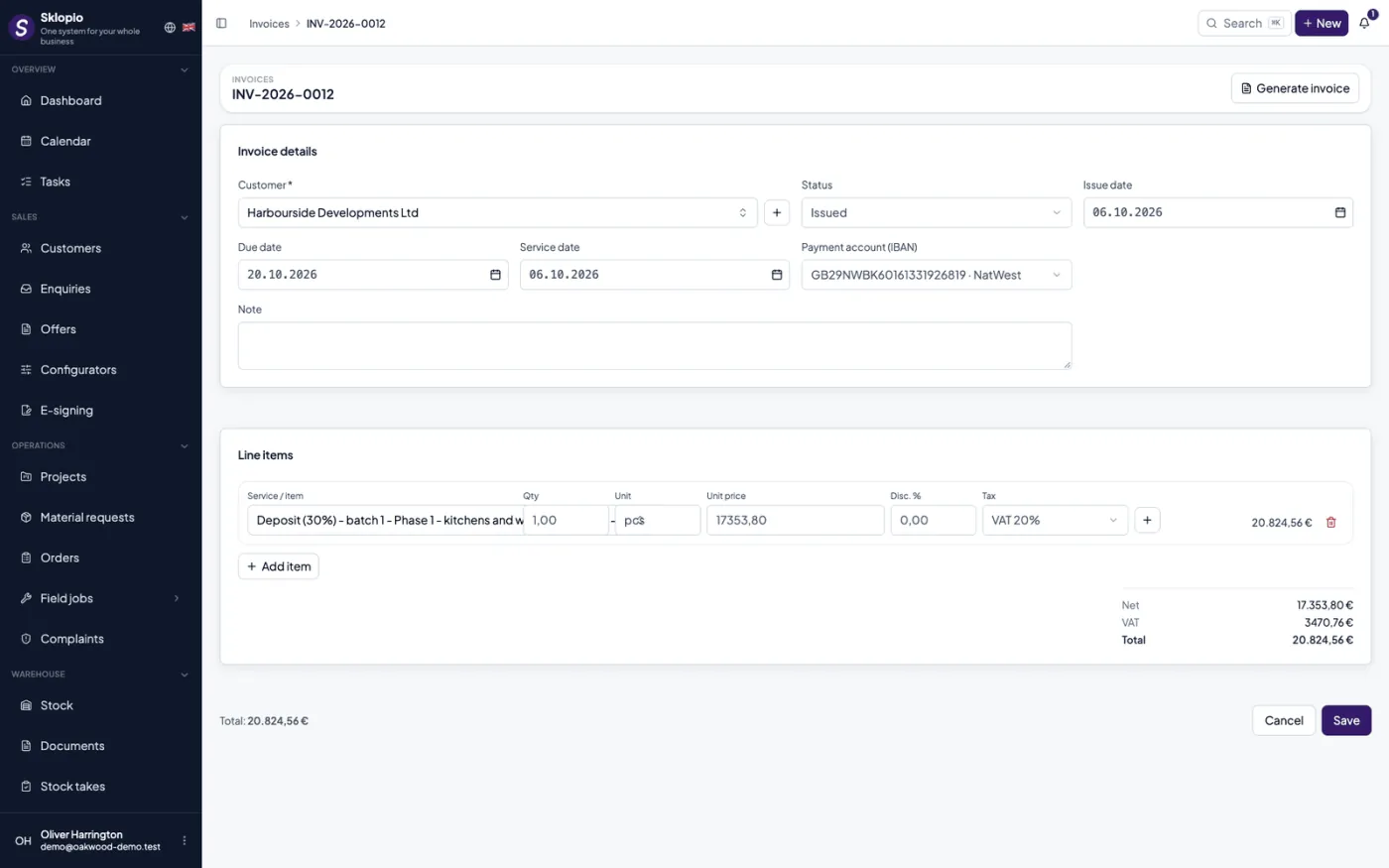
Connect your software
Quotes and invoices transfer to supported accounting systems; credentials are stored encrypted for each company separately.
Automatic or on demand
A document transfers automatically when issued, or one at a time when you decide.
PDF back on the project
The issued document returns as a PDF and is attached to the project.
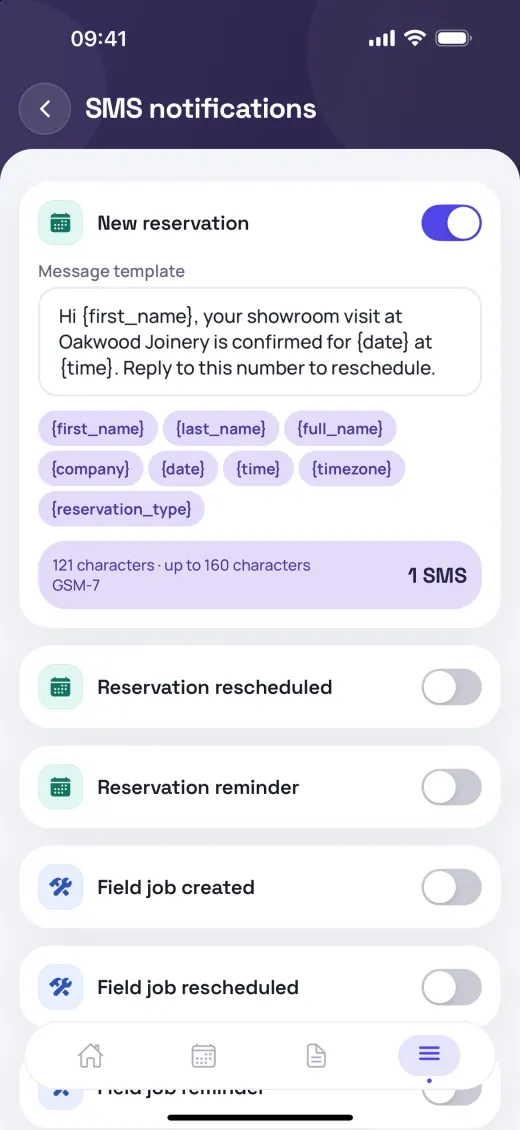
SMS notifications
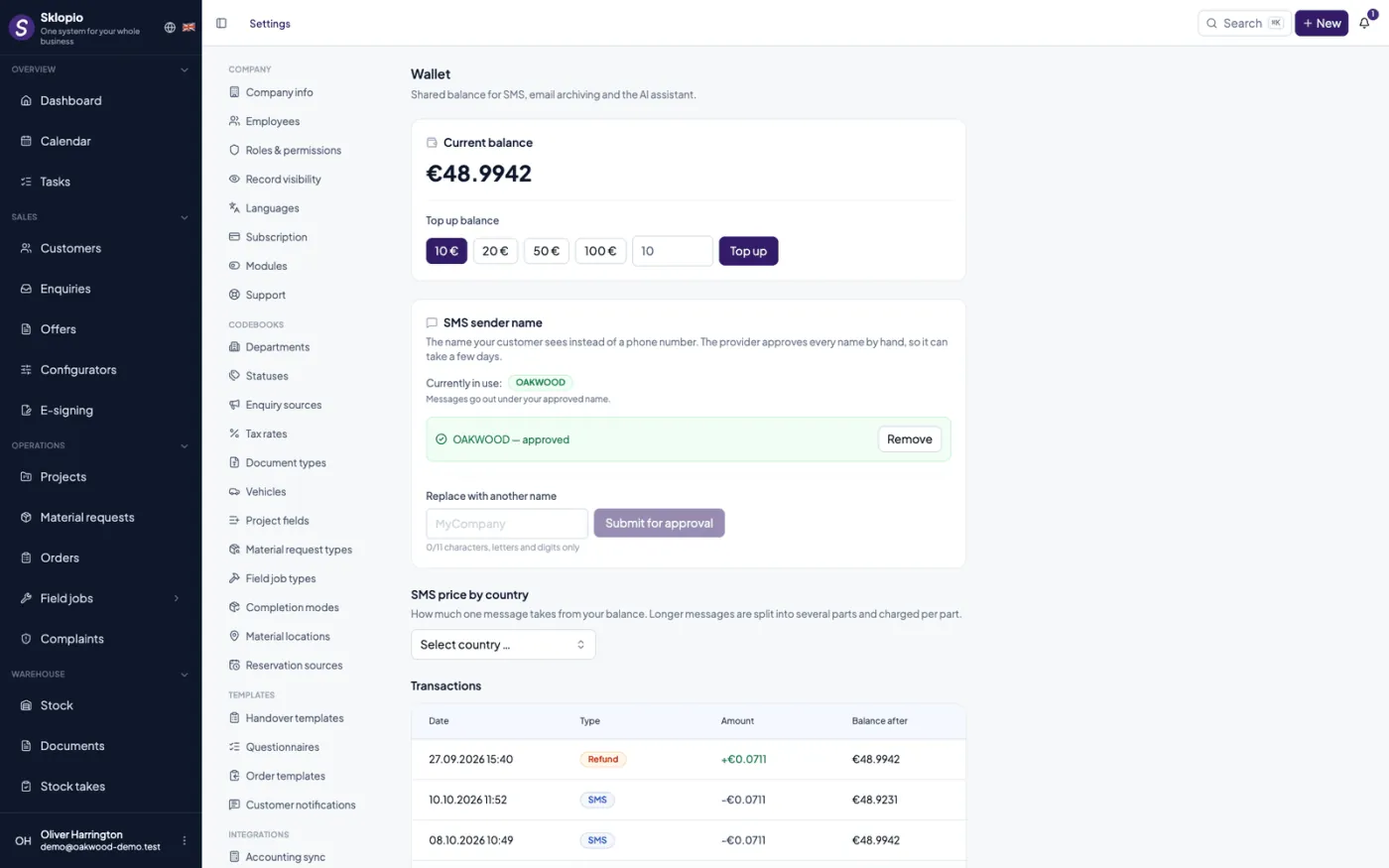
The module is available, but the SMS messages themselves are billed as you use them through a prepaid wallet. Top up your balance, and billing is precise per country and per segment.
SMS wallet
Top up your wallet before sending; SMS is billed as you use it (per-country pricing). No sending means no cost.
Per-country pricing
Billing by the recipient's country and a precise calculation per message segment.
Sender ID & history
Your own sender ID and a clear history of every transaction.
Team, roles & permissions
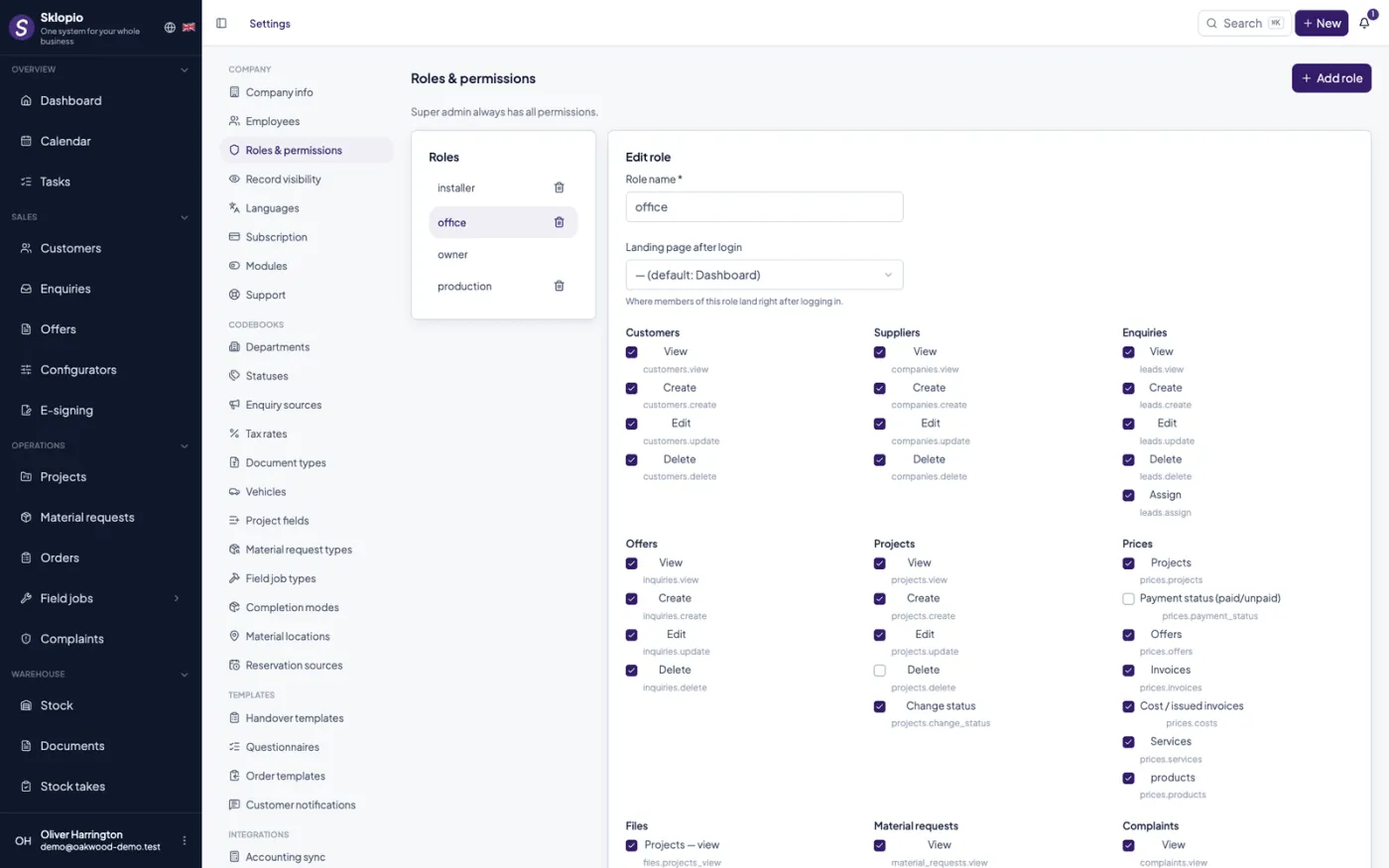
Every employee sees exactly as much as they should — no more, no less.
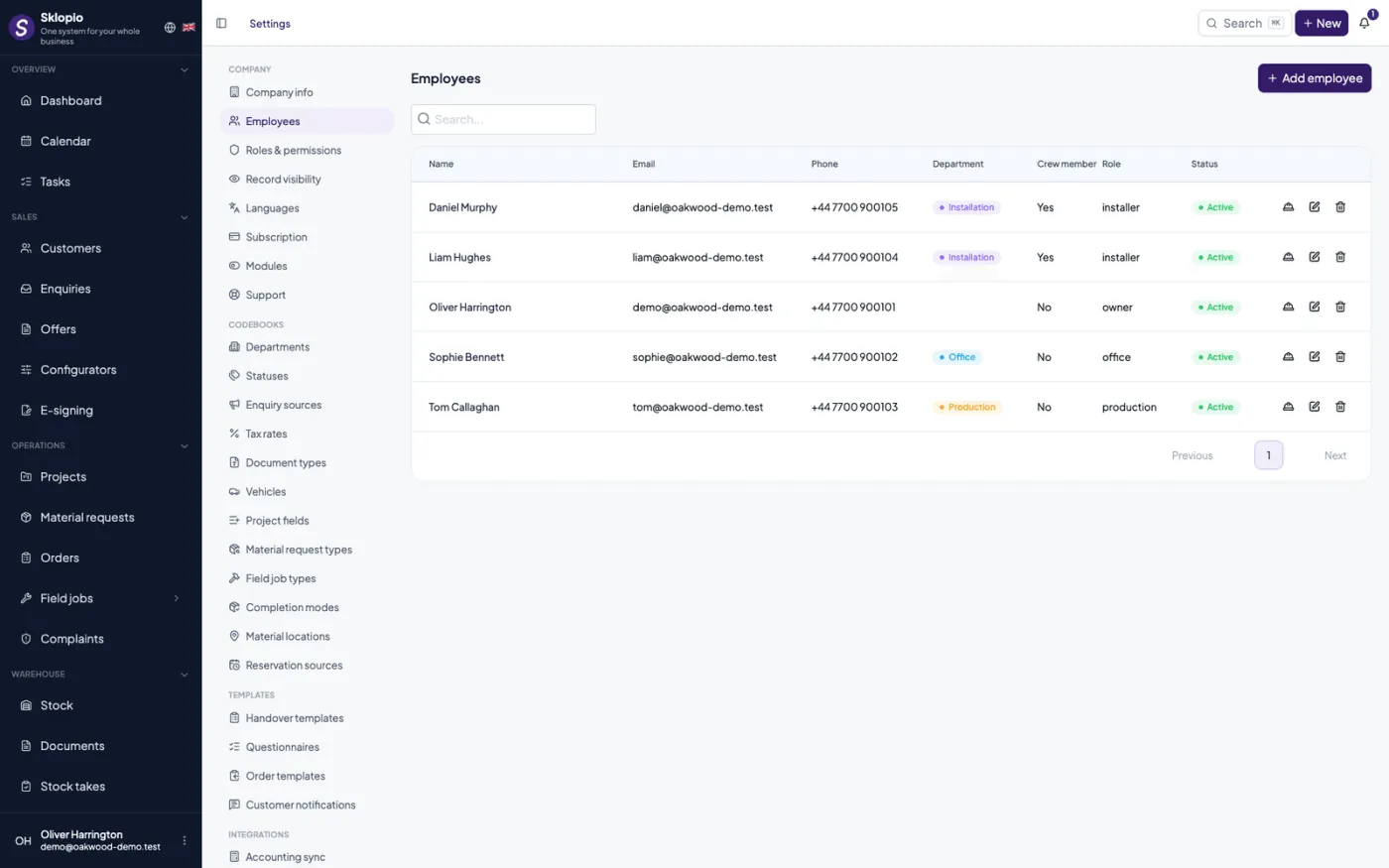
Roles
Per-employee roles with granular permissions for every module.
Record visibility
Visibility configurable to all records, own department only, or own records only.
Granular permissions
Separate control over tabs, prices and files of an individual record.
Work schedule
Save time and energy organising work. Staff schedules and hour tracking in one place — included in every plan.
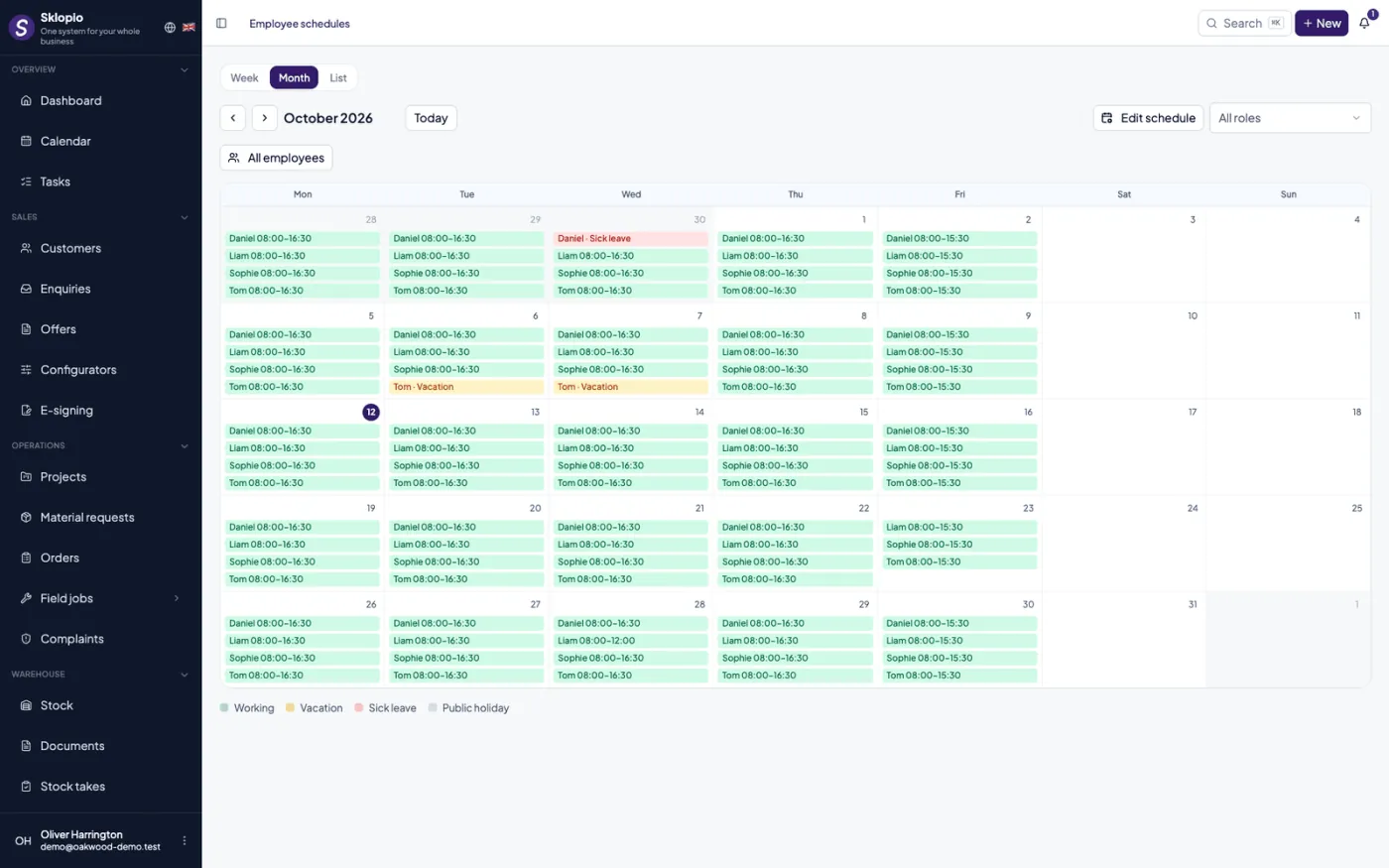
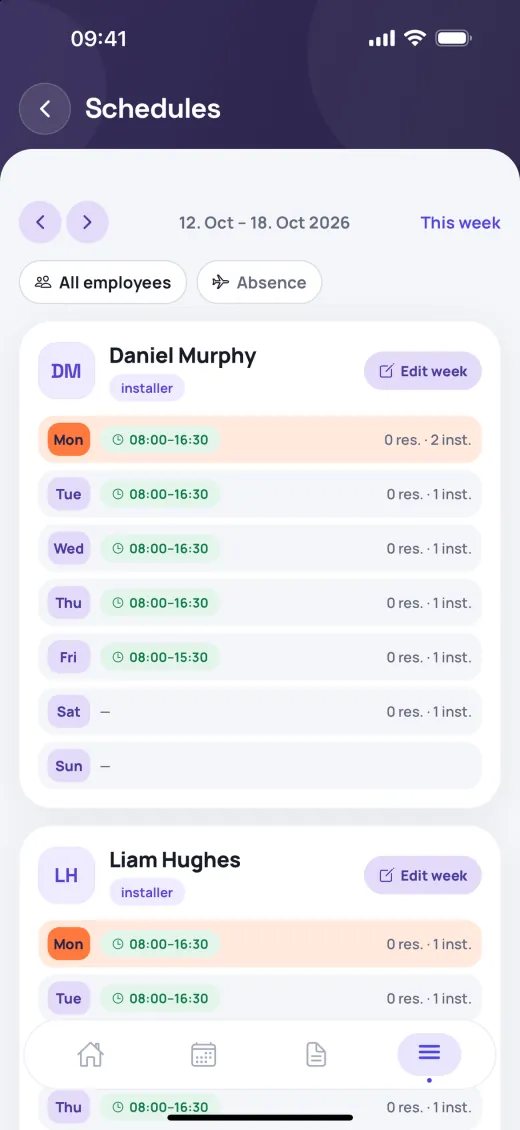
Employee work schedules
Weekly patterns and per-day exceptions — always clear who works when.
People roles
Monthly calendar with employee and role filters.
Absences and hours worked
Absence is entered as a date range, and the hours actually worked are logged separately from the plan — typed as work, holiday, sick leave or vacation.
Working-hours tracking
A record of actually worked hours per employee, separate from the plan.
API & integrations
Connect Sklopio with your website and external systems.
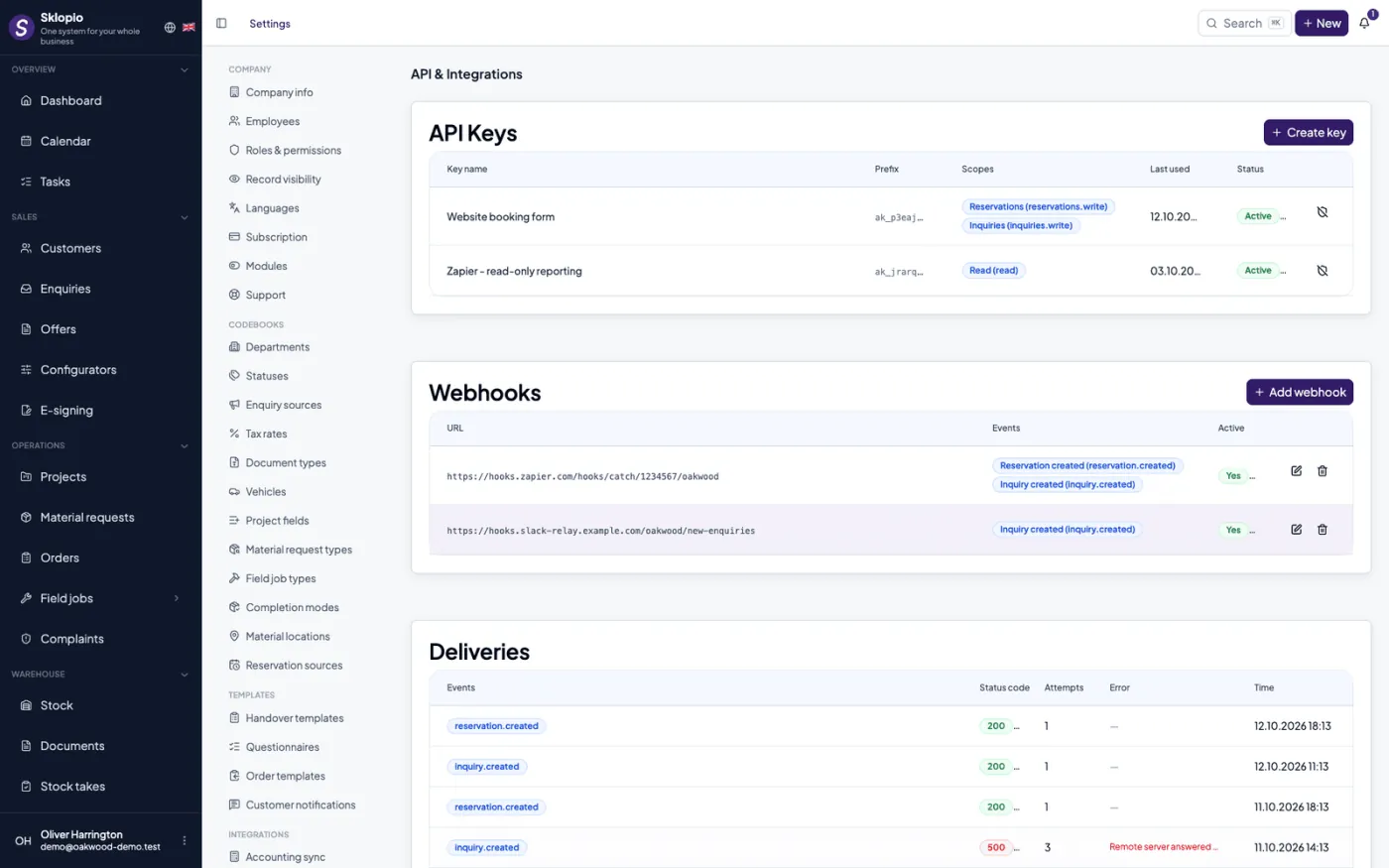
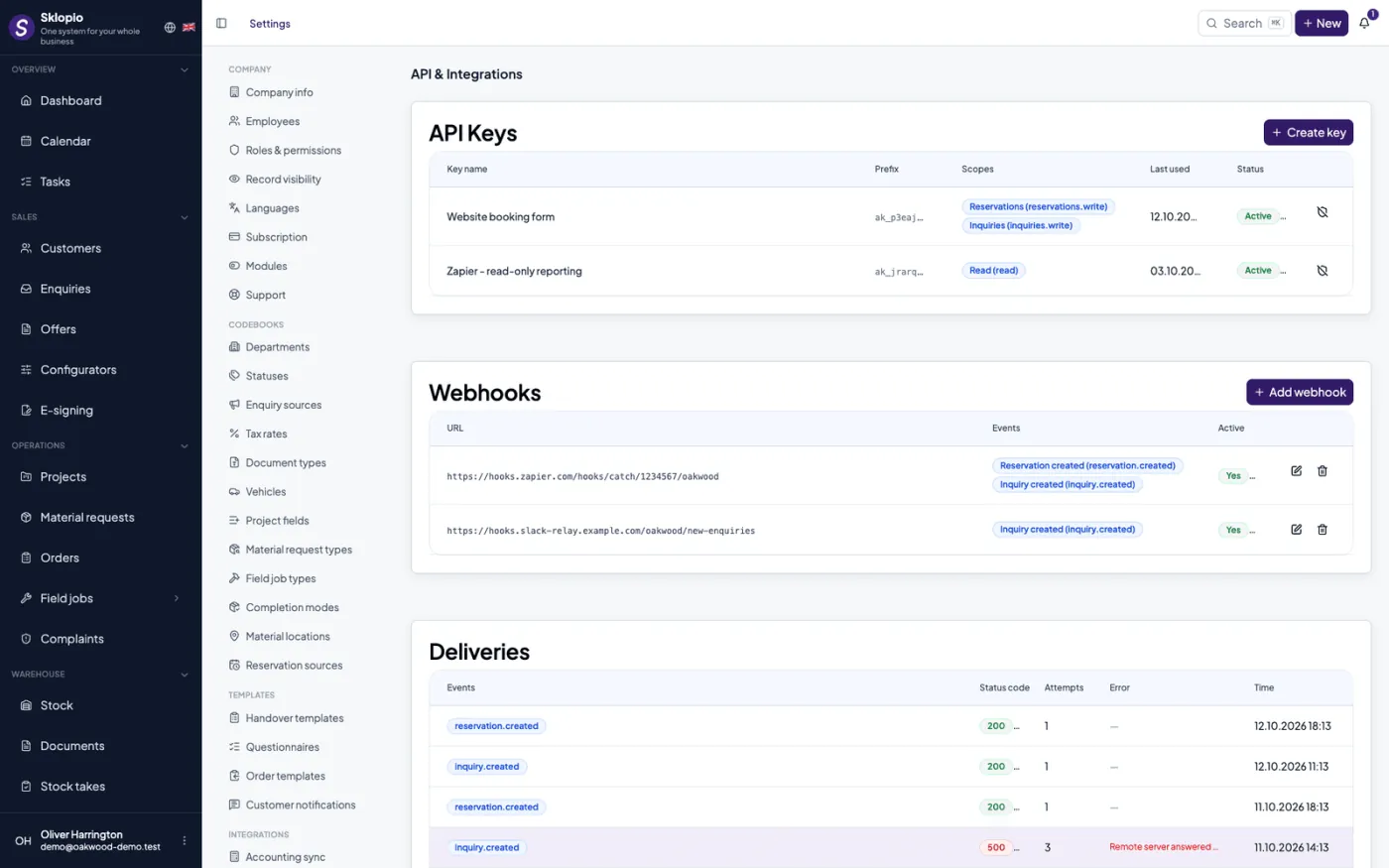
API keys
Issue API keys for securely connecting external systems.
Webhooks
Signed webhooks notify external systems about events in real time.
Website connection
Web forms can create inquiries directly in Sklopio.
Stock
Know what you have, where it is and what it costs — with a digital movement ledger instead of Excel.
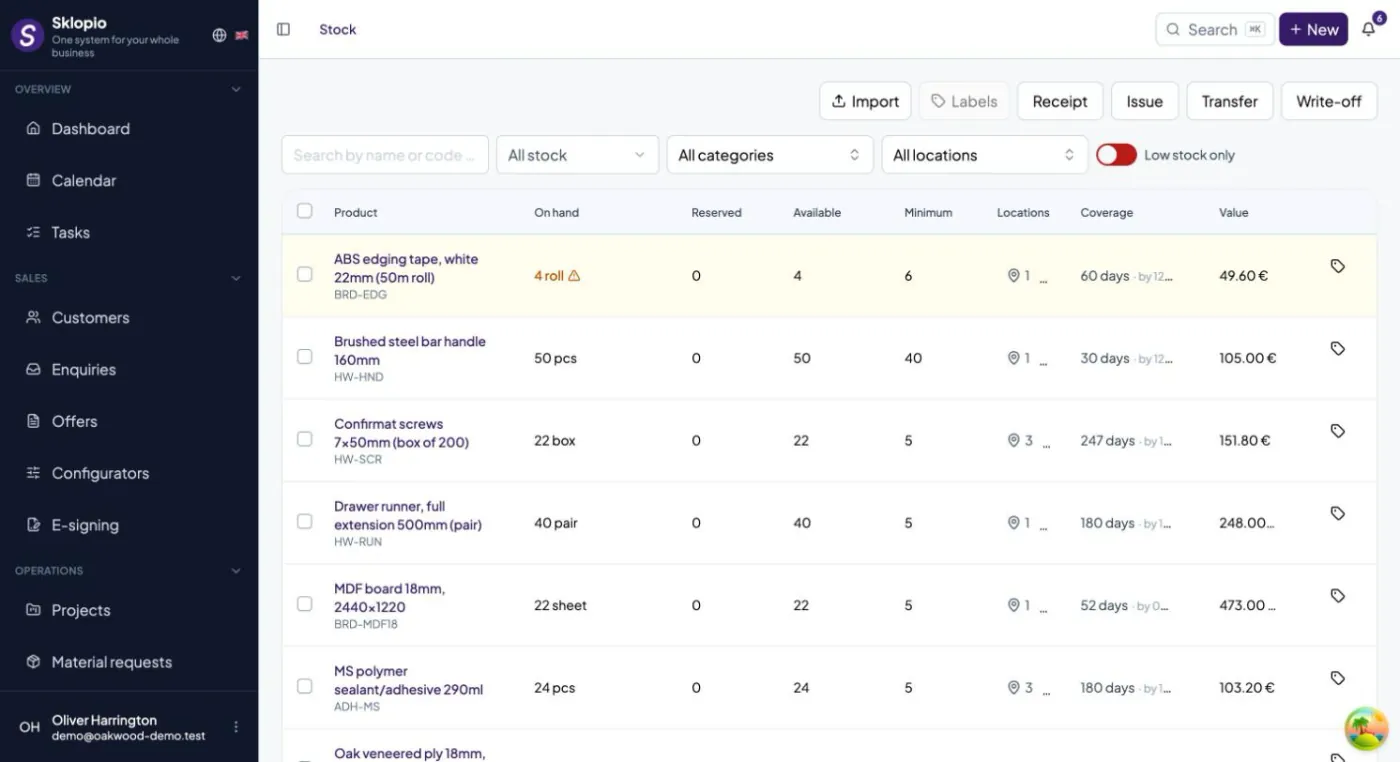
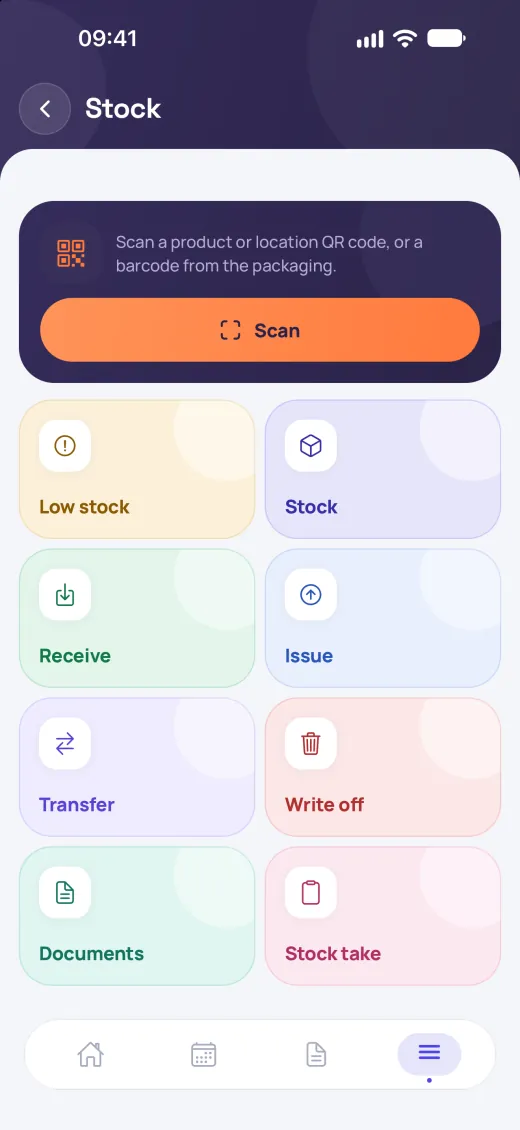
Movement ledger
Receipts, issues, transfers and corrections are recorded immutably; a mistake is fixed with a reversal document.
Locations, stocktake and QR
Multiple locations, stocktake with adjustment and QR codes for products and shelves.
Reservations and alerts
Material reserved for a project, low-stock alerts and consumption per project.
Tools & PPE
Who holds which tool, when the inspection is due and what is broken — no more notes on paper.
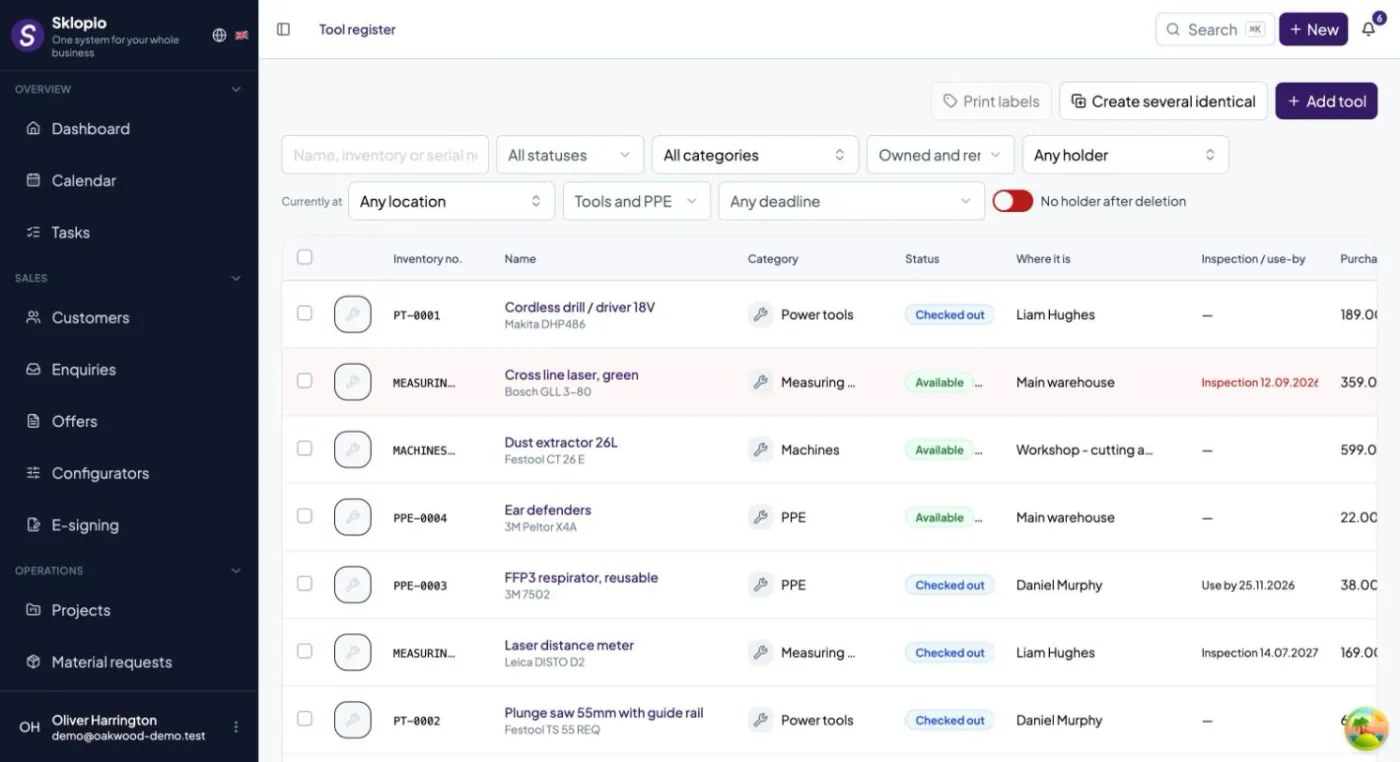
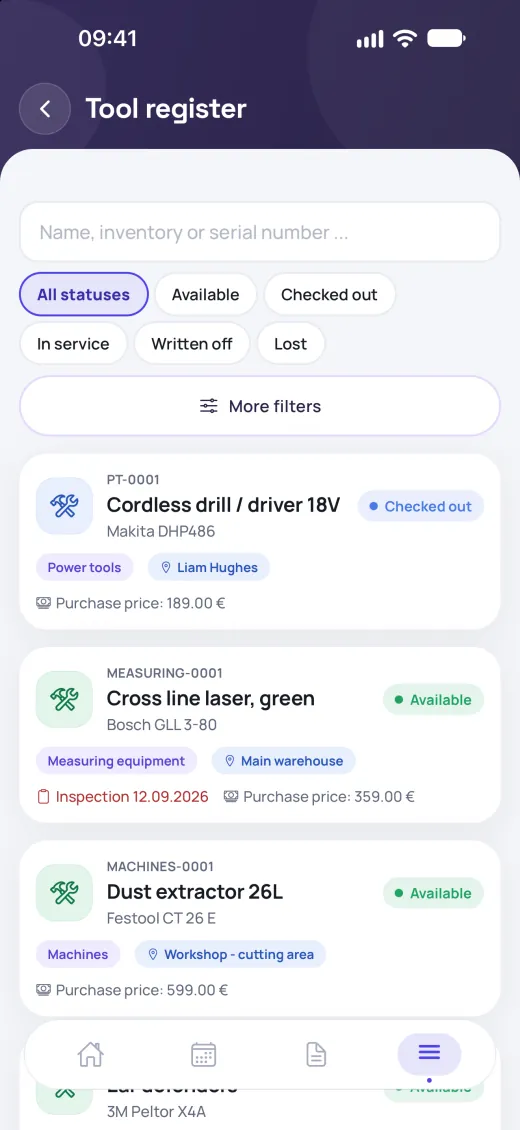
Custody and handovers
A tool is with a person, on a project or at a location; a handover to a colleague is confirmed by the recipient.
Inspections and deadlines
Regular inspections, PPE expiry and warranties with alerts before the due date.
Faults and rental
Fault reports create a task for the office; rental cost is calculated per project.
Fleet
Vehicles, keys and deadlines in one place — registration, insurance, service.
Vehicles and keepers
Who holds which vehicle, with key handovers and history.
Deadlines and service
Registration, insurance, inspection and service plans with alerts.
Logbook and costs
Trips are suggested from field jobs; costs and cost per km sit behind a separate permission.
Settings & catalogs
Everything that drives the system you set up yourself — no developer needed.
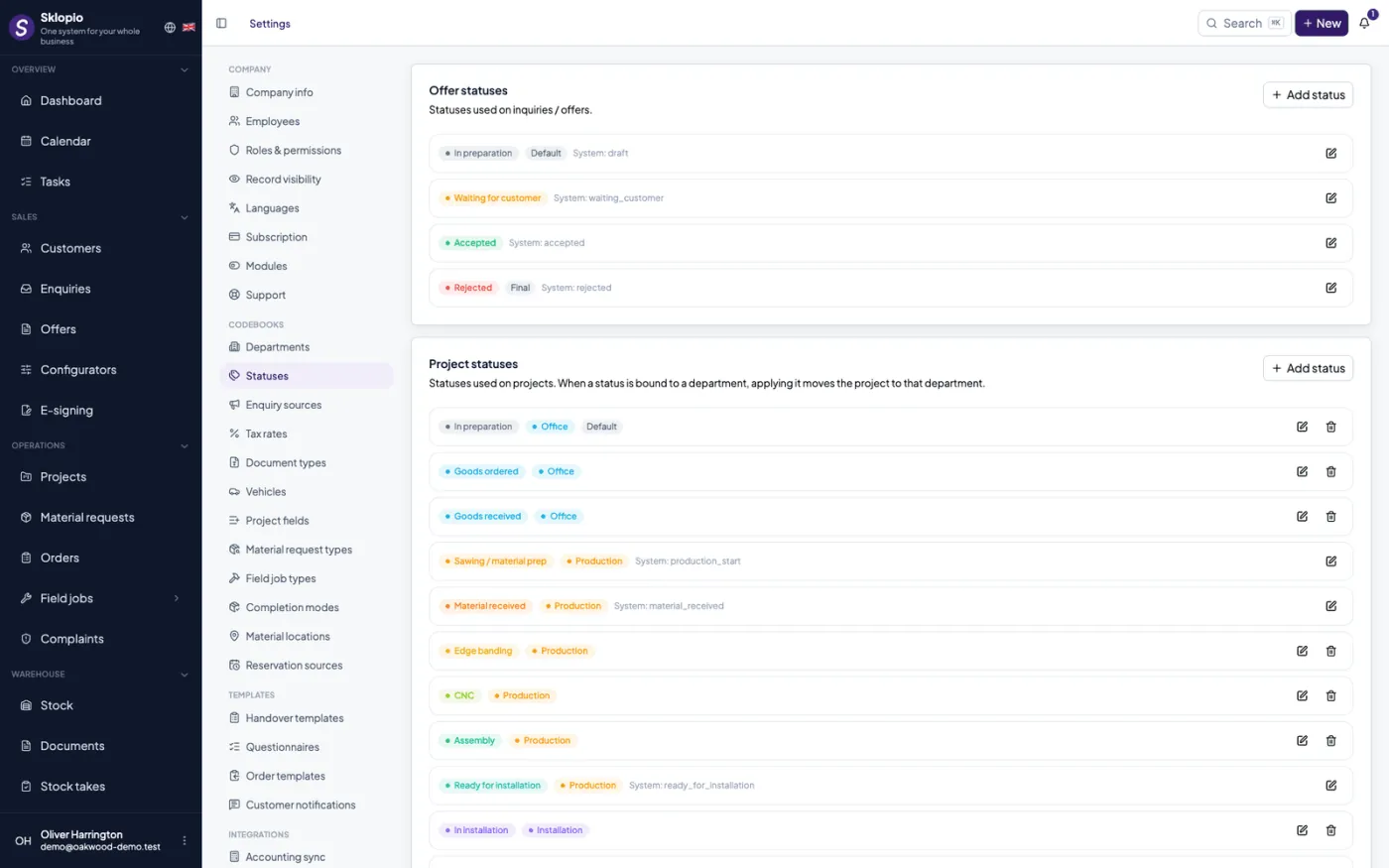
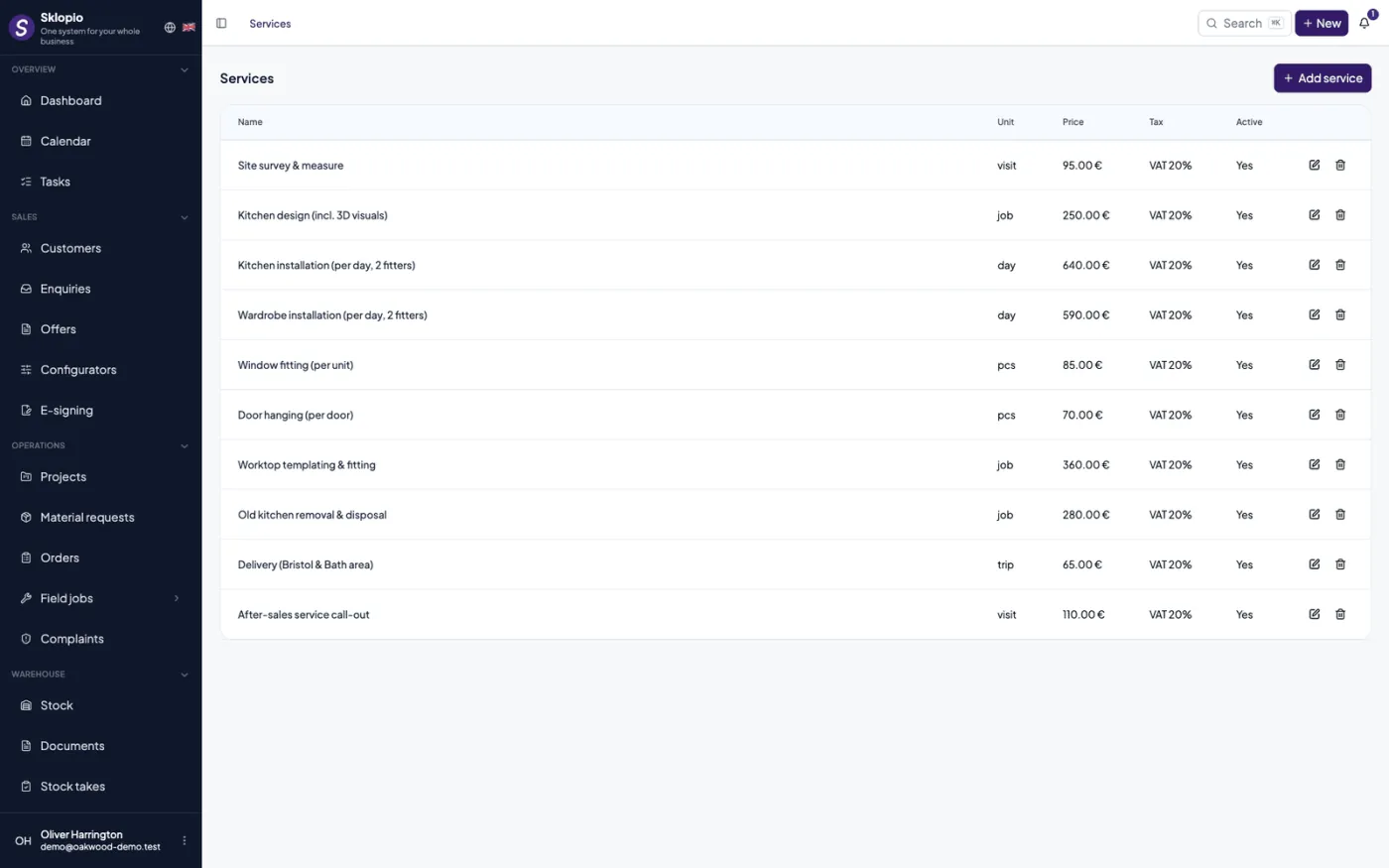
Catalogs
Statuses, departments, services, tax rates, vehicles and the product catalog.
Templates
Handover report and questionnaire templates that drive the forms.
Languages
Multilingual catalog names and interface based on the selected language.
Multi-company
One environment, many companies — each completely separate.
Sklopio is a multi-company SaaS: every company has its own data, roles and modules. The platform panel lets you manage plans and enable modules by subscription.
Get started today.
Sign up and get going in minutes — or write to us for advice on which plan and modules are right for you.